
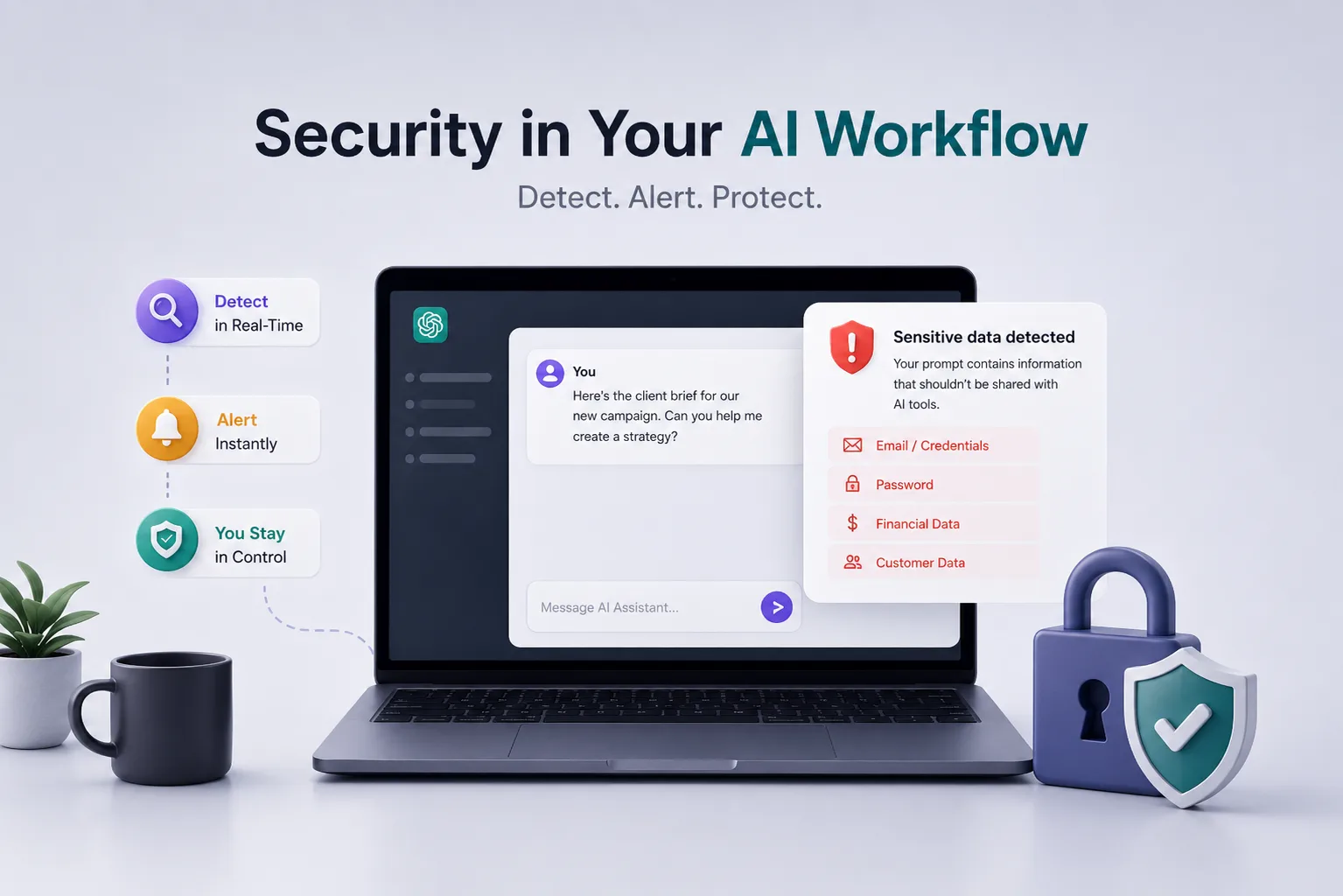
My cofounder asked me last week: "What do we call what we do?"
We'd been going back and forth on this for months.
- Security tool? Too narrow.
- DLP? Wrong messaging.
- Productivity tool? Doesn't capture the stakes.
We kept landing on descriptions that were technically accurate but felt like they belonged to something else.
At some point I realized the problem wasn't our messaging. It was that the category we're building didn't exist yet.
It's not a traditional security tool
When people hear "security tool," they picture firewalls, antivirus software, intrusion detection systems. Tools built to keep attackers out.
The threat model is adversarial: there's someone on the outside trying to get in, and the tool stops them.
That's not what we're solving.
The people causing data exposure through AI tools are not attackers. They're your best employees. The ones who actually use the tools they're given, who work fast, who've built ChatGPT into their daily workflow because it makes them genuinely more productive.
Your threat model isn't a hacker. It's a Tuesday afternoon deadline.
It's not DLP either
When I tell people we're "like DLP," the conversation usually gets worse, not better.
Classic DLP(Data Loss Prevention) was built for a specific set of problems:
- someone emailing a spreadsheet to a personal account
- uploading files to an unauthorized cloud service
- plugging in a USB drive.
The assumption is that the data has a destination, and you monitor those destinations.
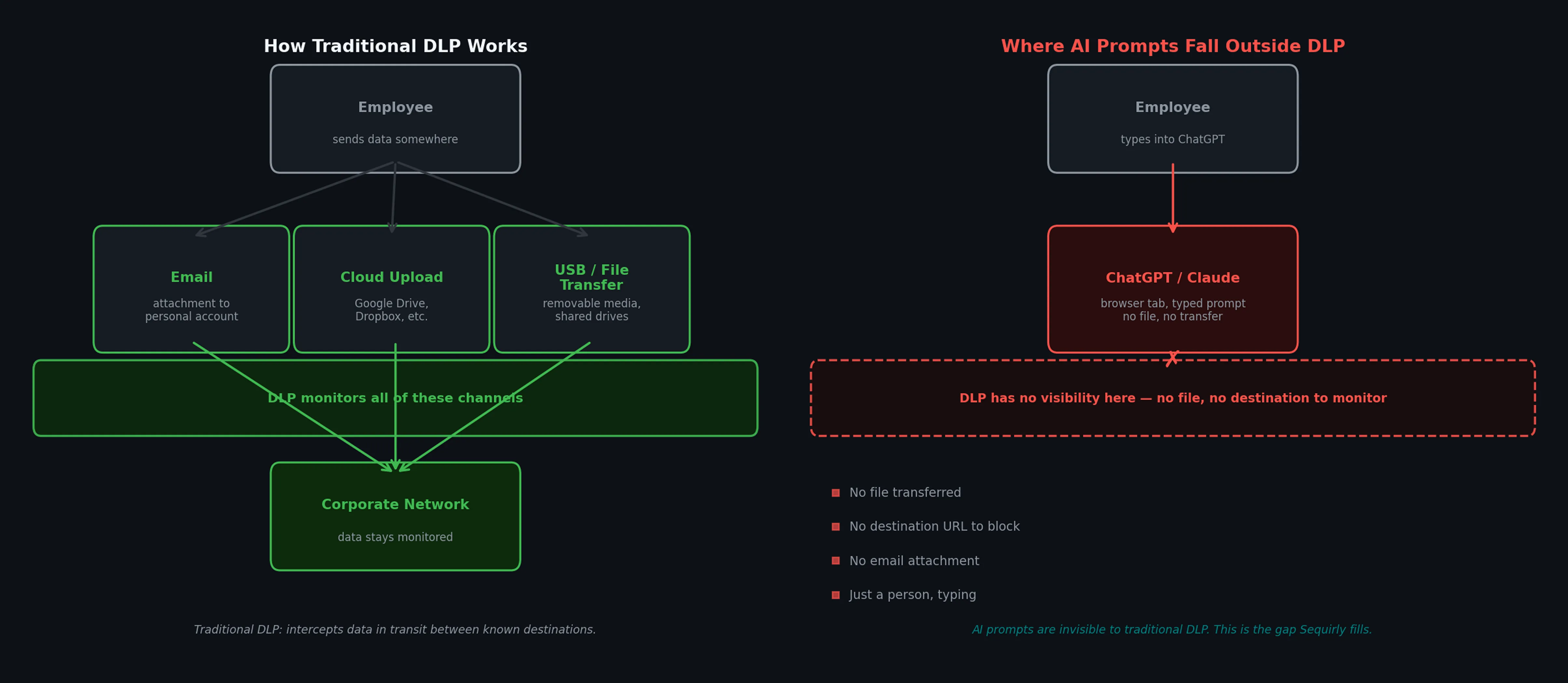
AI tools broke that model.
When an employee types a client brief into ChatGPT, there's no destination to block. There's just a person, typing, and a product designed from the ground up to make that as frictionless as possible.
Traditional DLP wasn't built for this.
It doesn't understand the different context of a ChatGPT prompt. Because it only monitors the movement, it can't read intent.
And it's not a productivity tool
Someone suggested we position as a productivity tool.
I understand the instinct. We do help teams work faster, safely, in a way that used to require either accepting the risk or not using the tools at all.
And we give organizations the ability to set their own rules, upload their own policy documents, customize what gets flagged for their specific context. That's genuinely useful.
But productivity is the side effect, not the purpose.
If I tell you we're a productivity tool and then explain that we prevent credential leakage in real-time, something feels off. The category has to lead with the actual job.
The problem we're actually solving
The clearest way I can put it: we add security into the AI workflow itself.
Security tools fail when they live outside the workflow.
- A policy document sent during onboarding doesn't help at 6pm on a deadline.
- A dashboard someone reviews quarterly doesn't catch the paste that happened Tuesday.
The gap between "we have a policy" and "nothing has leaked" is exactly as wide as that gap in time and attention.
Your team is already in ChatGPT. They're already using Claude, Gemini, or whatever model helps them do their job. The security layer needs to live there too.
It needs to be there at the exact moment risk occurs, not somewhere else hoping people remember to check.
The key difference from everything that came before: we intervene before the data ever leaves the browser.
What that actually looks like
Here's a concrete example of what Sequirly does in practice.
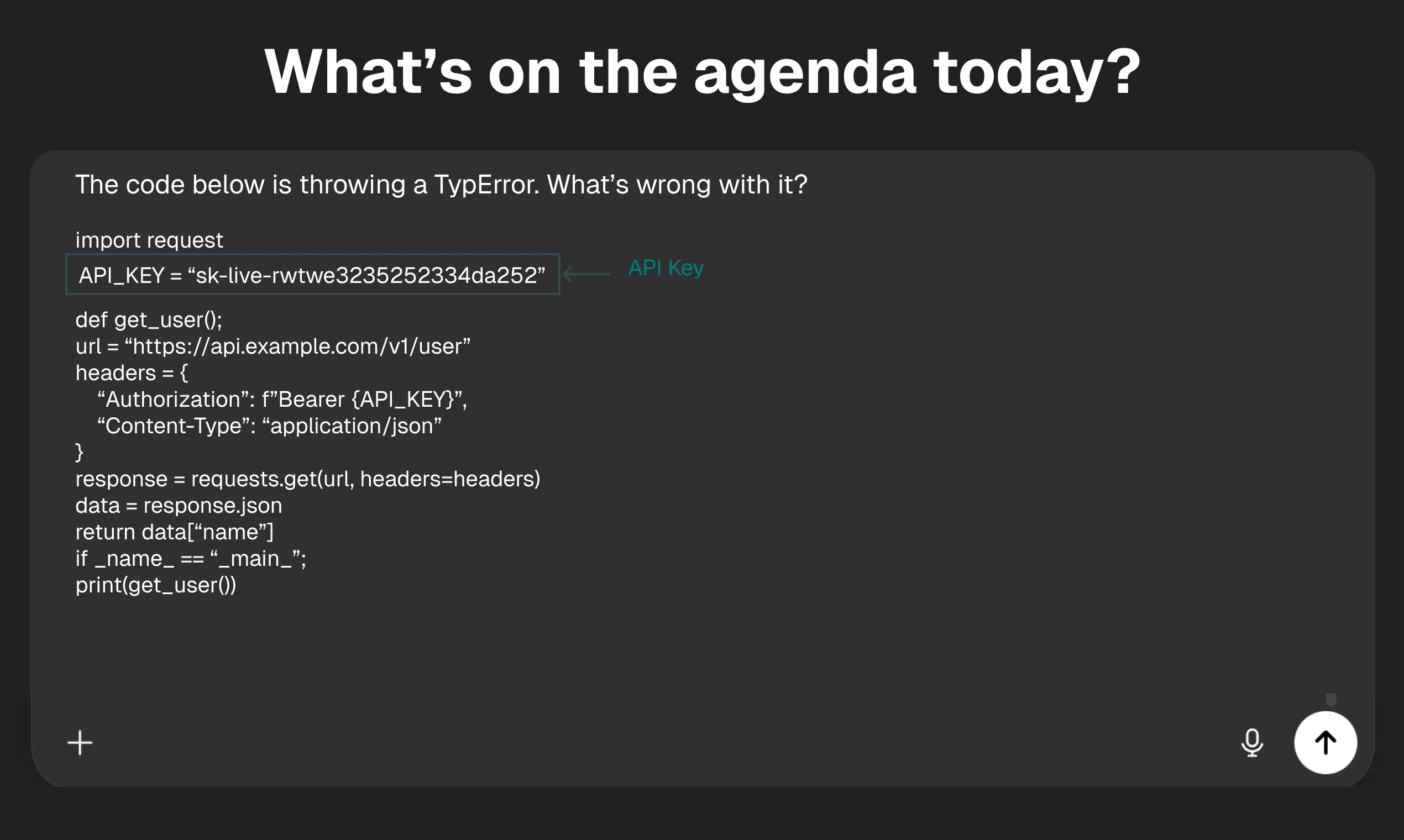
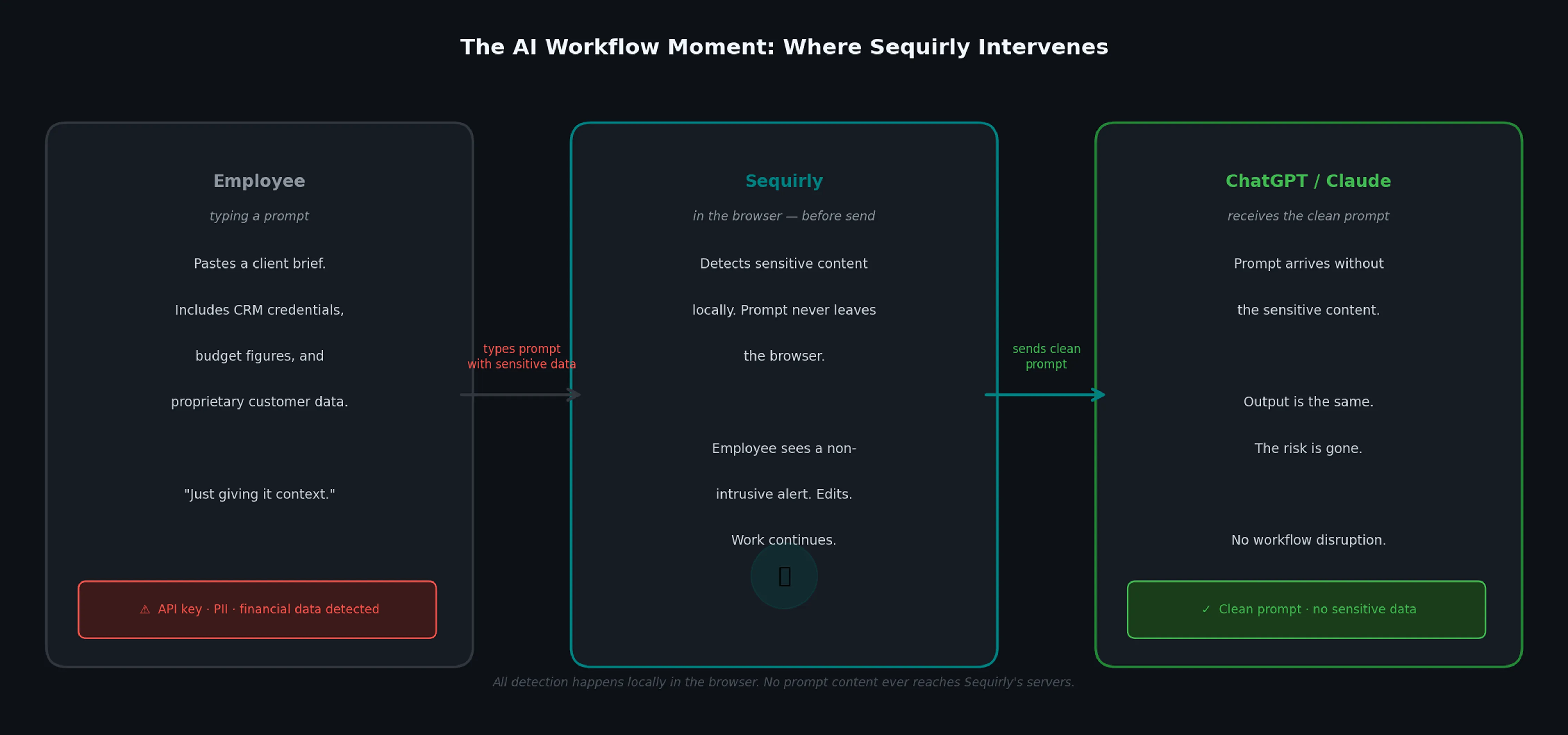
A project manager at a marketing agency is briefing an AI tool on a new campaign. They paste in a client brief that includes the client's CRM access credentials, budget figures, and a segment of proprietary customer data. Standard context-setting for a good output.\_
Without Sequirly
That prompt goes out. The AI processes it.
The data is now outside the browser, in an external system, governed by that system's terms and policies. Whether or not it causes an incident, it happened.
There's no record your team can review, no way to know it occurred.
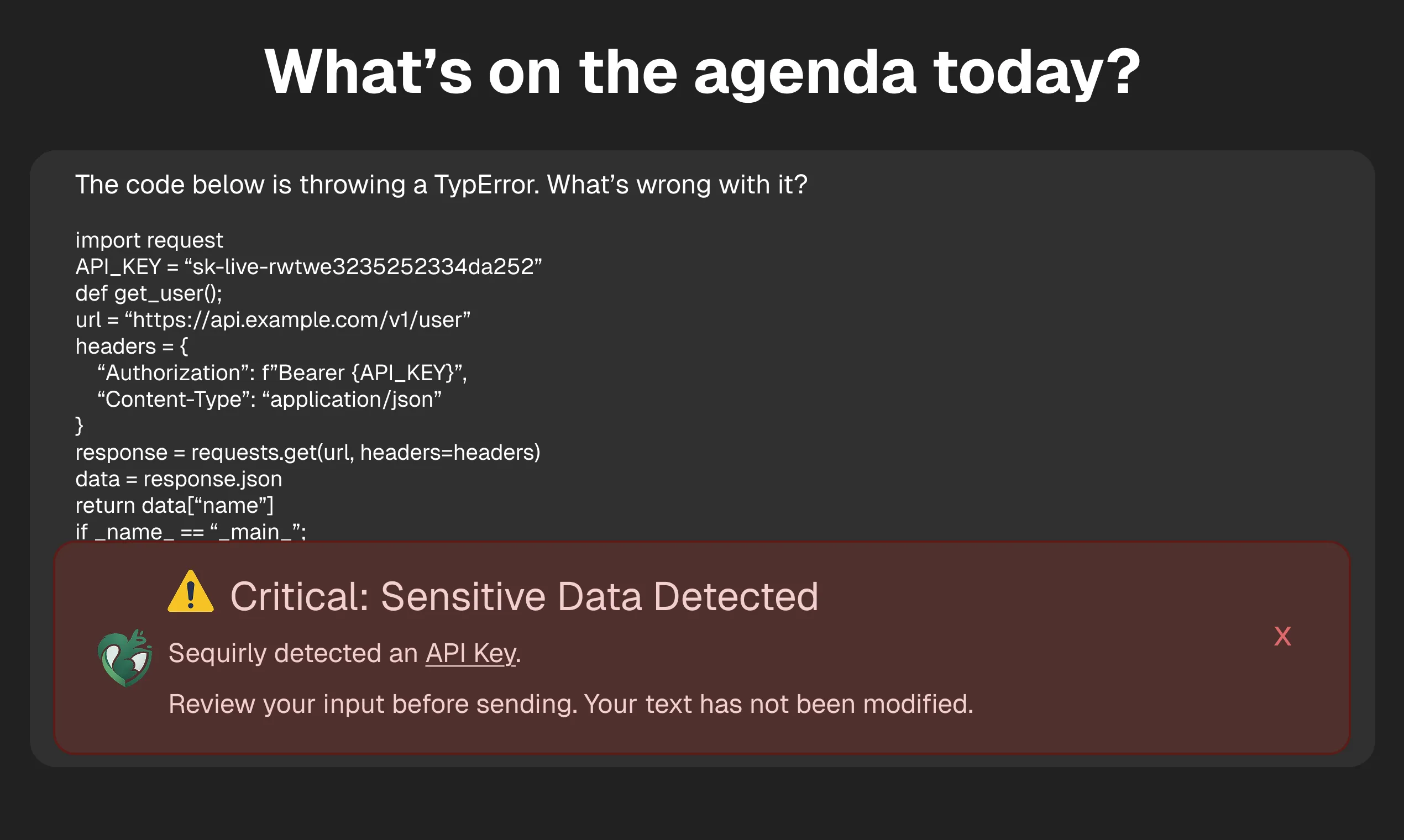
With Sequirly
The detection happens locally, inside the browser, before the prompt is sent.
The employee sees a non-intrusive alert: specific credentials were detected. They can review, edit, and continue. The prompt goes out, but this time it's intentional, not accidental.
Your workflow is secure.
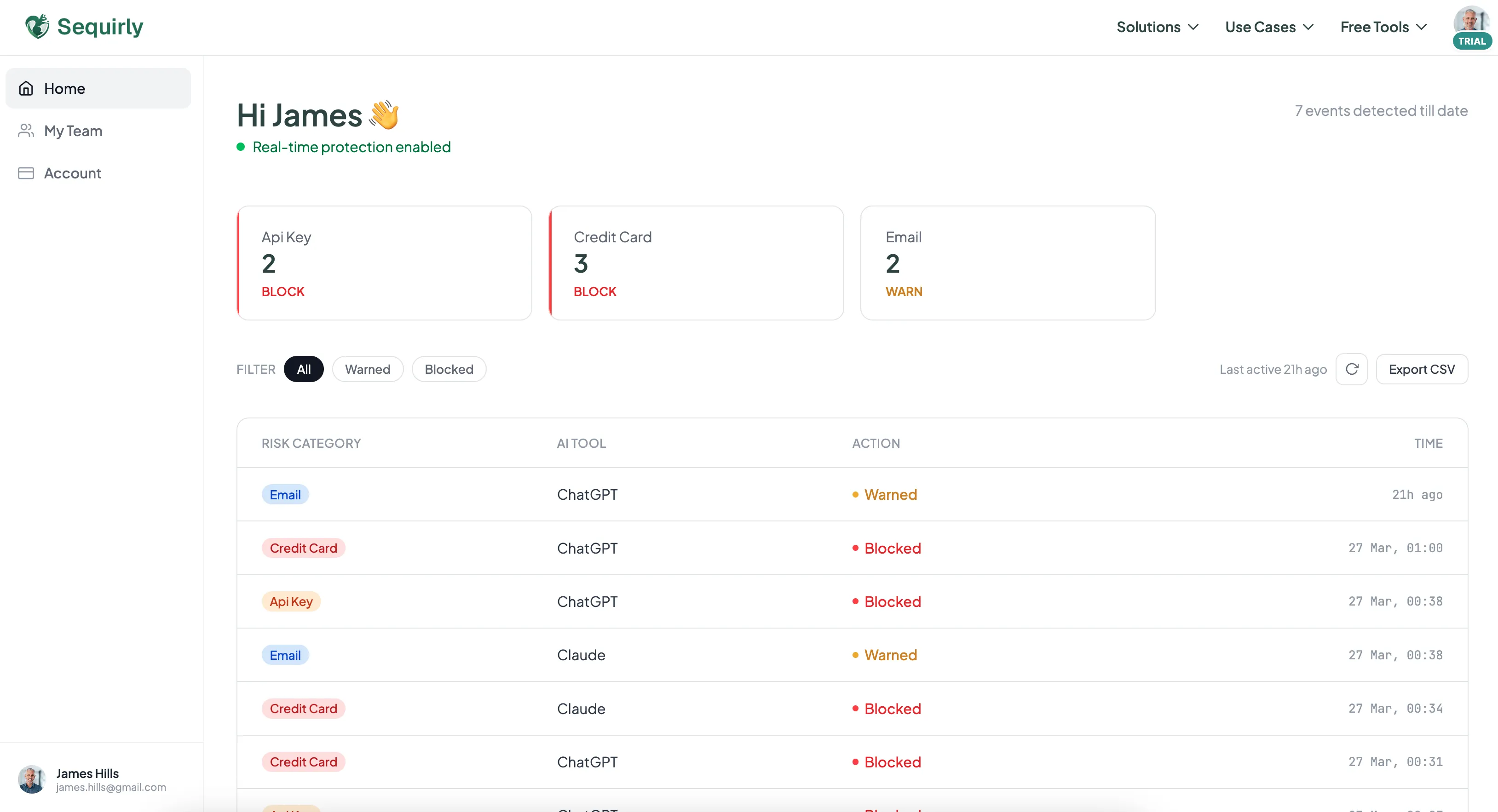
On the admin side, your operations lead sees metadata:
- which AI tool was involved,
- which data category was flagged,
- what action was taken
- at what time.
Not the prompt content; Sequirly never touches what's being typed. Just the signal that matters for oversight.
That's the workflow moment the category is built around. Catching the mistake before it happens, instead of monitoring after the fact or blocking the tool entirely.

Prevent accidental data leaks to ChatGPT, Claude, and Gemini.
Sequirly scans your prompts and uploaded files before they're sent. If it finds credentials, client records, or API keys, it stops you before the request goes out.
Why this is a new category
The category we're building has a few properties that didn't exist together before:
The threat is accidental, not adversarial.
The person typing the prompt isn't trying to cause harm. They're doing their job.
That changes everything about what a solution should look like. You can't respond to accidental risk with adversarial security tooling. You need guardrails, not gates.
The context is AI-native.
A system that understands AI workflows is categorically different from one that just monitors file movement. The context is what makes the intervention useful rather than just noisy.
The architecture is privacy-first.
All scanning runs locally in the browser. Nothing Sequirly detects ever reaches our servers.
The only thing we see is metadata.
This matters because the alternative is proxying all employee AI traffic through a central inspection system. It creates a different and arguably worse problem: surveillance of every thought your team types into an AI tool.
The deployment matches the audience.
This is built for teams, not for security engineers. Two-minute install, no IT involvement, no network reconfiguration.
The product has to be this accessible because the buyer is a business owner who has eight other things to do, not a CISO with a dedicated implementation team.
We're calling this AI Workflow Security. It's not traditional security or DLP or a productivity tool.
It's something that had to be built because the tools your team uses every day got too powerful to go unguarded, and nothing that existed was designed for how those tools actually work.
Where this goes
Categories get defined by the products that build them, and products get defined by the problems they stay focused on.
Everything we build is oriented around catching that moment cleanly, without surveillance, without disrupting the work.
The market around this is still forming. Most organizations haven't formally addressed this risk. Many haven't even named it yet. That's not a problem for us,it's an opportunity.
The category gets defined by the product that shows up first with a clear answer.
The accidental AI data leak is happening at your company right now. The category to address it is being defined.
Try Sequirly. It takes two minutes to install, and it starts showing you what's moving through your team's AI tools immediately.