
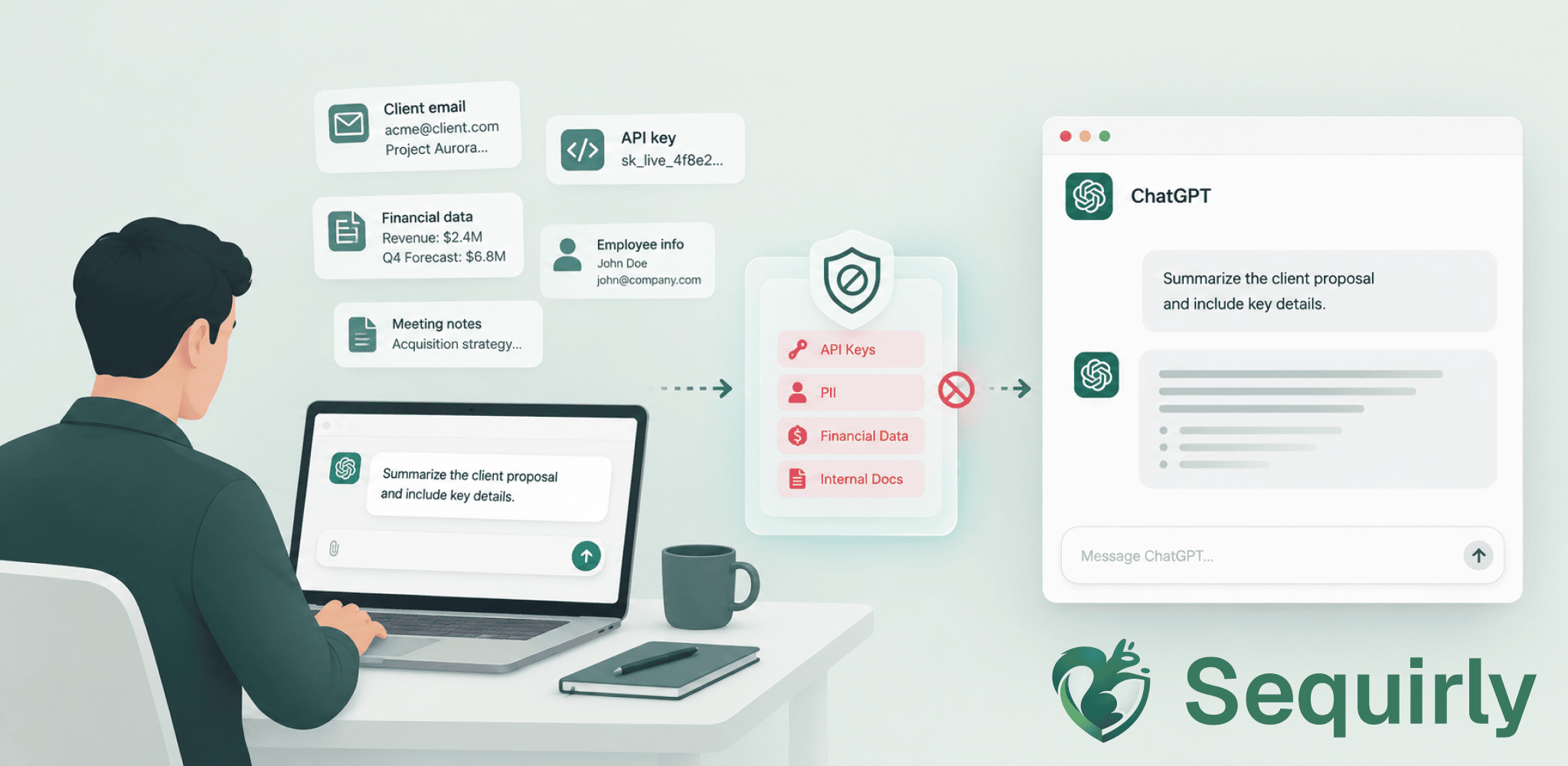
If anyone has asked me what DLP tools I'd recommend before 2024, I'd have said Microsoft Purview, or some of the big names. If you're weighing it against an enterprise suite, read Sequirly vs Enterprise DLP.
But that answer doesn't hold anymore. In the last two year, the way people work inside a company has changed completely.
Now people spend more time on AI tools like ChatGPT, Claude, and Gemini compared to gmail. And most of the important work happens inside a browser tab: writing emails, drafting client presentation, prepping reports, debugging code, summarizing contracts. All these happens into a chat window.
So today if you're asking for a DLP tool, you need to know how your company actually operates first.
Like many companies, if you're an early adopter of AI tools, maybe the right question is "what DLP tool for ChatGPT, Claude, and Gemini."
And that's what this post does. In this article, we'll get into why traditional DLP fails in the AI era, then look at the options that actually fit how AI-first companies work today.
Why Traditional DLP Misses the AI Paste
Traditional DLP is built around channels and events.
- Network DLP sits at the gateway and inspects email and web traffic.
- Endpoint DLP watches the device: USB drives, local copies, uploads to apps that aren't on the approved list.
And plenty of these setups decrypt HTTPS to look inside it and supports TLS inspection where a proxy presents its own certificate, decrypts the session, scans it, re-encrypts it, sends it on.
So it's not that DLP can't see the traffic to chatgpt.com.
What is can't do is recognize what it's looking at.
Detection in traditional DLP runs on regex, keyword lists, and fingerprinting. But they can't read a paragraph and understand whether it's sensitive because of what it says without matching a predefined format.
Pasting context in AI tool is an example of this.
You copy something, paste it into ChatGPT. The paste doesn't include any file attachment or a USB stick. It simply looks like a browser sending a form.
Now a DLP tool watching for a file leaving through a channel will find nothing wrong here. As far as the system is concerned, no any leaks happened.
Now the real question for any AI DLP tool which is to replace the traditional DLP is: does it actually read what's in the prompt or the upload or does it just confirm the traffic reaches a known AI domain? Because these are two different capabilities that separate an AI DLP from a traditional one.
Four Different Types of DLP for ChatGPT, Claude, and Gemini
I have looked into all the available DLP tools that work well with AI chats like ChatGPT, Claude, and Gemini. And most of those tools can be categorized into four groups:
1. Cloud proxy (Netskope, Zscaler)
This type of DLP first routes the traffic from your team's devices to the vendor's cloud. There, the traffic gets inspected, and then it's forwarded on to ChatGPT, Claude, or Gemini.
This gives broad coverage across every app your team uses.
But it comes with trade-offs.
- Routing through another cloud adds latency.
- It can also raise data-residency questions, since your traffic now passes through infrastructure you don't own.
- Coverage also depends on a client agent keeping the tunnel up. If that drops when a device goes off-network, so does the inspection.
2. Endpoint agent with on-device inspection (dope.security, Teramind)
This type of DLP installs an agent on each device. The agent inspects data locally, before it leaves the machine.
Here, the latency stays low and coverage holds when a device is off the corporate network as there's no traffic to route anywhere.
However, you do need that agent on every machine, and that means going through an MDM.
So only organizations with IT infrastructure might be well suited for this implementation.
3. Browser extension (Sequirly)
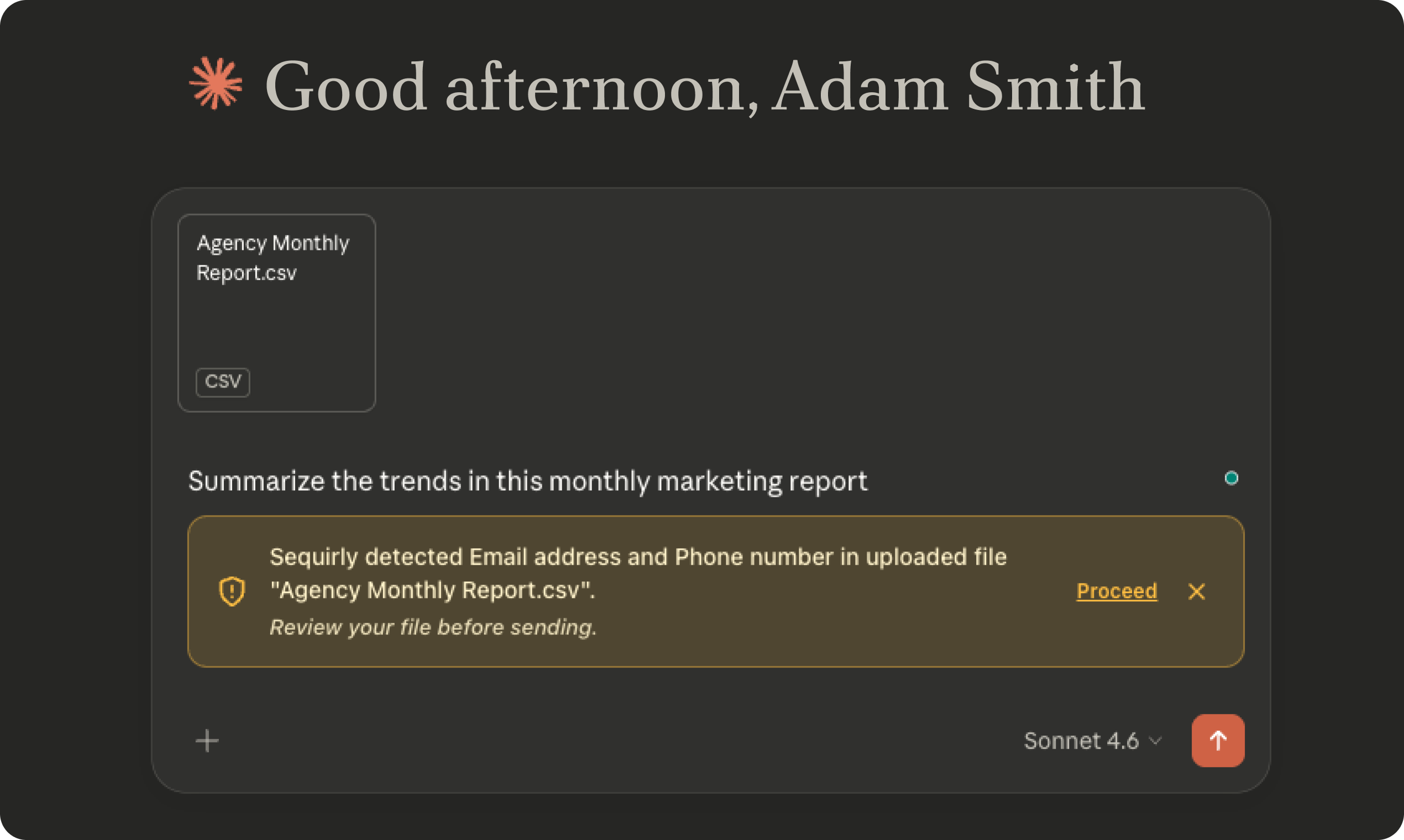
This type of DLP runs as an extension in the browser. It catches prompts the moment they're submitted.
It works immediately and covers most day-to-day ChatGPT, Claude, and Gemini use, since that's mostly where the work happens.
Unlike the previous two types, no traffic is routed to different server and no MDM is needed for deployment.
However, a browser extension doesn't cover native desktop AI apps, like GitHub Copilot inside an IDE or a standalone chat client.
4. API/SaaS integration (Strac, Cyberhaven in SaaS mode)
This type of DLP connects to your SaaS apps through an API. It scans for sensitive data that's already been shared. That makes it useful for discovering what already left the building.
However, it's not useful for stopping the data from leaving — at least not through this piece of the product.
Both Strac and Cyberhaven sell browser and endpoint components too (API/SaaS is just one layer of a bigger stack).
Nightfall AI is another tool that offers API components, but it bundles browser, endpoint, and API components together into one platform. This one is a good option if you are in need of enterprise-level DLP.
How the Main DLP Tools for ChatGPT, Claude, and Gemini Compare
| Tool | Category | Processing | Implementation | Best for |
|---|---|---|---|---|
| Sequirly | Browser extension | Local: nothing reaches Sequirly's servers, only metadata | Low (self-serve, 2-minute install) | Small teams and agencies without IT security |
| dope.security | Endpoint agent | On-device | Medium (MDM rollout) | Mid-size teams with IT, no cloud-proxy overhead wanted |
| Netskope | Cloud proxy | Third-party servers (vendor cloud) | High (infrastructure setup) | Large orgs with security teams |
| Microsoft Purview | M365 ecosystem + endpoint | Microsoft's cloud (your own tenant) | Medium (if already on M365 E5, otherwise a licensing project) | Microsoft-centric organizations |
| Nightfall AI | Bundled (browser + endpoint + API) | Third-party servers | High (sales-gated, no self-serve) | Enterprises needing full-stack coverage |
| Teramind | Endpoint agent | Third-party servers (Teramind's cloud, or your own on-premise/private cloud) | Medium (MDM rollout) | Teams already doing broader employee monitoring |
| Strac | Browser + API | API/SaaS layer: third-party servers. Browser layer: not publicly documented | Medium | Teams wanting both browser and SaaS coverage |

Prevent accidental data leaks to ChatGPT, Claude, and Gemini.
Sequirly scans your prompts and uploaded files before they're sent. If it finds credentials, client records, or API keys, it stops you before the request goes out.
Three Questions to Ask Before You Buy AI DLP Tools
1. Does it inspect prompt content, or just log domain visits?
If the tool can only tell you that chatgpt.com was visited, but can't tell you whether something sensitive was shared in the prompt, then it's not AI DLP for ChatGPT.
Ask vendors specifically: "Do you inspect prompt text before it's submitted?"
2. Where does inspection happen?
On the device, in a cloud proxy, or in the browser? Each architecture has different deployment requirements and coverage gaps.
- For teams without IT infrastructure, browser-layer tools deploy in minutes.
- For teams with a managed device fleet and MDM, endpoint agents cover a wider surface.
3. What does it do when it finds something?
- Block and notify?
- Redact just the sensitive portion?
- Log for review?
Teams that want to keep AI in their workflow need a tool that can act specifically on the sensitive content, not one that blocks the session entirely and generates a ticket.
Why Browser-Layer DLP Works for Most Teams
The overwhelming majority of day-to-day AI tool (ChatGPT, Claude, Gemini, or Perplexity) are used in a browser.
When a marketer pastes a client brief into Claude to draft a proposal, that's a browser tab. That's where the exposure lives too.
A browser extension that inspects before submission catches what the network layer can't see:
- clipboard paste,
- typed content, and
- file upload
And all the inspection happens locally in the browser without routing any traffic to an external cloud. Plus, the implementation is so simple that you won't require MDM deployment or a separate security team in your organization.
However, if your team does majority of its work on native desktop apps, browser-layer coverage might not be enough.
Where to Start
Most teams don't know how much sensitive data is going into AI tools, or which tools their team actually uses.
That's why, before you buy anything, run a one-week audit.
Sequirly's free AI security audit tool shows current exposure without requiring a full deployment.
Then match the tool to your infrastructure:
- No IT department, team under 50: browser extension deploys in minutes, no MDM required
- Managed device fleet with MDM: endpoint agent covers AI apps inside and outside the browser
- Existing Netskope or Zscaler investment: extend those platforms to AI traffic rather than adding a separate tool
If Sequirly Fits What You're Looking For
Sequirly sits between your team and AI tools. It catches sensitive data before it's sent to ChatGPT, Claude, Gemini, and others.
Since the detection runs locally in the browser, nothing Sequirly sees reaches external servers. And you get an admin dashboard, which shows metadata: which AI tool, which data category, what action was taken. But it doesn't log the entire prompt content, only the meta data.
It's built for teams that want AI at full pace without leaving sensitive data behind.