

Nobody on your team downloaded an unapproved AI tool to create a security problem. They downloaded it to finish a project by Friday.
That's what makes shadow AI so hard to address. It doesn't look like a risk. It looks like a shortcut that works.
And right now, it's almost certainly happening inside your team.
What Is Shadow AI?
Shadow AI is any use of AI tools that your organization hasn't approved, reviewed, or can track. A developer who pastes production code into Claude to debug faster. A marketer using a free AI writing tool that isn't on anyone's approved list. An account manager connecting their work Gmail to a personal ChatGPT account to help manage email.
None of these people think they're creating a security problem. And that's exactly the problem.
The "shadow" part isn't about hiding. It's about visibility. What the organization can't see, it can't protect.
Why Shadow AI Spreads So Fast
Shadow AI spreads because AI tools are genuinely useful and free to use. There's no procurement process to delay access or an approval form. Just a browser tab and an account signup.
But it also spreads in situations where a company tries to manage AI access, and the solution creates a new problem.
A pattern common in small teams: the company approves one ChatGPT account per department. The dev team shares one, marketing shares another. Employees create their own projects inside the shared account to keep their work organized.
It sounds reasonable. But shared accounts mean anyone on the team can see anyone else's conversations. A developer working through a sensitive bug doesn't want teammates reading the context they fed the AI. A marketer drafting competitive strategy doesn't want it visible to the whole team. So they sign up for a personal account and use that instead. The company account sits mostly unused. The actual work moves into accounts nobody approved and nobody can see.
The tools that cause the most shadow AI risk aren't obscure ones. They're ChatGPT, Gemini, and Claude. The exact same tools your company might use officially, but through personal accounts with different (and usually weaker) data settings.
About 77% of employees paste information into AI tools, and 22% of them include sensitive data.
Most of that usage is happening in tools nobody approved. I kept assuming our team was mostly using AI for low-stakes stuff until I actually asked. The answers were surprising.
What's Actually at Risk
1. Data leaks.
When someone pastes client data, internal strategy documents, or source code into an unapproved AI tool, that data goes to an external server.
Most free-tier AI tools use conversations to train their models. Your client's information could influence another company's outputs.
2. Compliance violations.
If your team handles health records, financial data, or personal information from EU users, the question is "have we violated HIPPA, GDPR, or SOC 2?, not "is this risky?"
Unapproved tools almost certainly don't meet your compliance requirements. And the people using them don't know that.
3. Invisible attack surface.
Every unapproved AI tool is a
- connection you can't monitor
- credential you can't rotate
- data flow you can't audit.
Shadow AI creates risk you won't discover until something goes wrong.
4. Uncontrolled tool sprawl.
New AI tools launch constantly, and your team is probably trying them as they appear. Each new tool is a new unknown.
Without visibility, the number of tools grows faster than your ability to assess them.
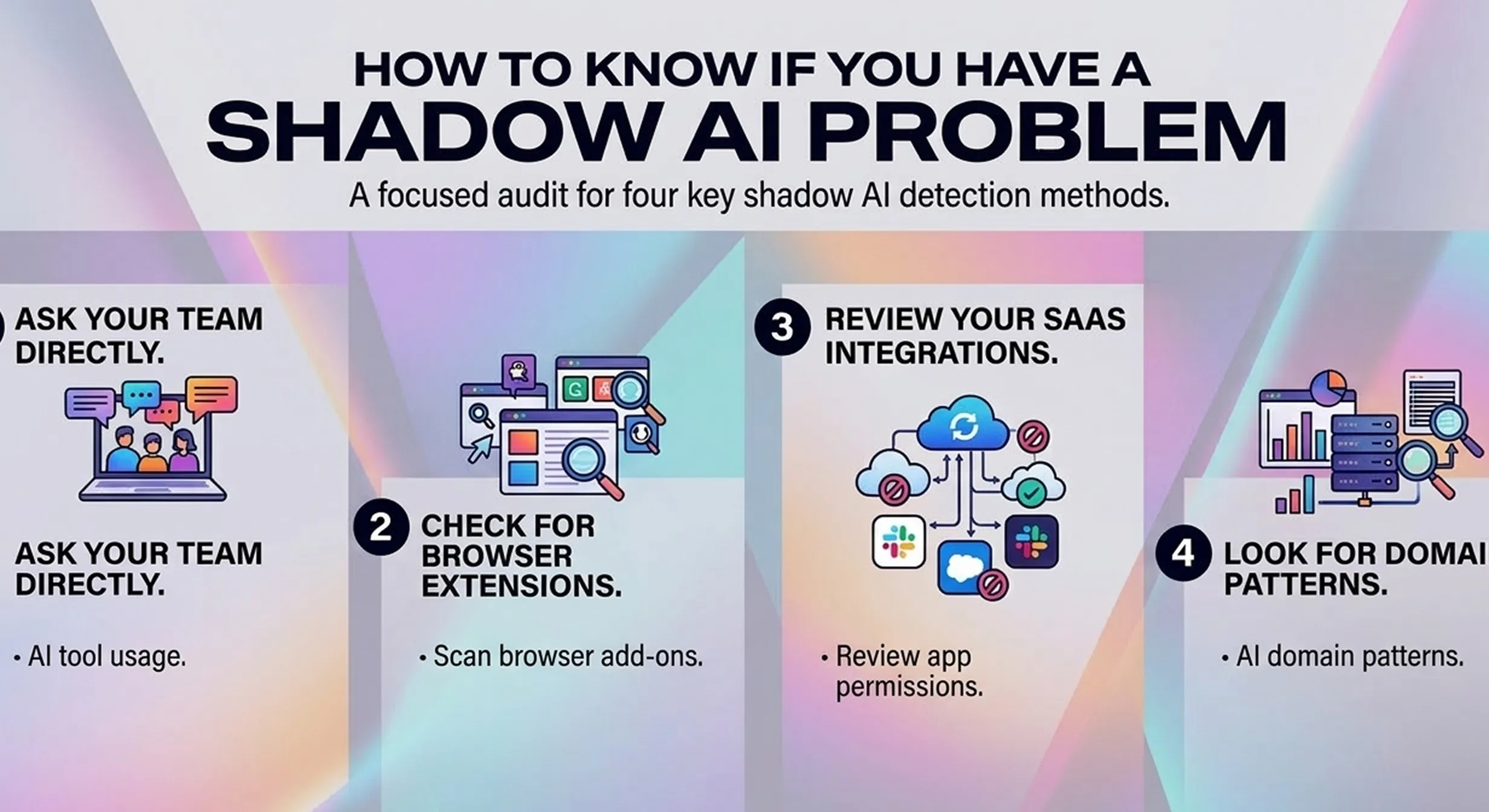
How to Know If You Have a Shadow AI Problem
You almost certainly do. But here's how to get a clearer picture fast:
1. Ask your team directly.
A quick Slack message or 3-question survey surfaces what tools people actually use.
Ask:
- Which AI tools do you use for work?
- Do you use personal AI accounts for work tasks?
- Have you ever pasted or uploaded work data into these tools?
Frame it as "help us build better guidelines," not a compliance investigation. You'll get more honest answers.
2. Check for browser extensions.
AI-powered browser extensions are a major and underappreciated vector.
Tools like Grammarly, Jasper, and dozens of others read the content of whatever tab they're running on.
A quick audit of what's installed on team devices often surfaces shadow tools nobody thought to mention.
3. Review your SaaS integrations.
Most AI tools allow OAuth connections to Google Workspace, Outlook, and Slack. An audit of which third-party apps have access to your company accounts will surface shadow connections you didn't know existed.
4. Look for domain patterns.
On company-managed devices, IT can pull reports on which domains are being accessed. AI tool URLs leave a clear trail.
You don't need to see what anyone typed. Just whether openai.com, claude.ai, or similar tools are showing up from work devices.

Prevent accidental data leaks to ChatGPT, Claude, and Gemini.
Sequirly scans your prompts and uploaded files before they're sent. If it finds credentials, client records, or API keys, it stops you before the request goes out.
What You Can Do About It
1. Build an approved list, not a ban.
People default to approved options when you give them good ones. The goal is replacing shadow tools with sanctioned equivalents.
Banning doesn't work. 41% of employees find a way around blocks, and bans push usage underground where you can't see it.
2. Define what can never go into AI.
Create a one-page document that lists data categories that should never go into any AI tool, approved or otherwise.
- Client data
- Credentials
- PII
- Financial records
- Unreleased product details
Pin it somewhere visible. For a starter template, see our guide to preventing AI data leaks, which has a full breakdown by category.
3. Check privacy settings on approved tools.
Most AI tools default to training on your conversations. Even approved tools need privacy settings reviewed.
- For ChatGPT, it's Settings > Data Controls > toggle off "Improve the model for everyone."
- For Gemini, check "Gemini Apps Activity."
This is 15 minutes of work that significantly changes your risk profile.
4. Create a lightweight approval path.
If there's no clear way to get a new tool reviewed quickly, people will use it anyway and not tell anyone.
A simple process (a Slack message to one designated person, a shared request form) keeps tools visible instead of shadow.
What to Look for in a Shadow AI Tool
Once you've mapped your exposure, you'll want something that catches new unapproved usage and protects against split-second mistakes that policies alone can't prevent.
When evaluating tools, look for:
- Real-time detection at the browser level, before data is sent, not after
- Local processing, so your data isn't going to yet another server to be "protected"
- Coverage across all AI tools, not just one approved platform
- Low setup burden, under an hour, no IT department required
Sequirly works as a browser extension that scans for sensitive data before it gets sent to any AI tool.
- It doesn't block your team from working.
- It catches the moments where someone pastes something they shouldn't have, and gives them a nudge before it's too late.
Where to Start
Start with a quick survey this week. Three questions to your team, 10 minutes of your time, and you'll know more about your shadow AI exposure than most organizations do.
From there:
- build the approved list,
- define what can't go into AI, and
- review privacy settings on current tools.
Those three steps close most of the gap.
If you want to go deeper on mapping and managing shadow AI across your team, we're building out a full audit framework as a follow-up to this post.
And if you want to add the safety net layer today, try Sequirly free. Two minutes to install, runs locally in your browser, and your team won't notice it until it catches something important.