
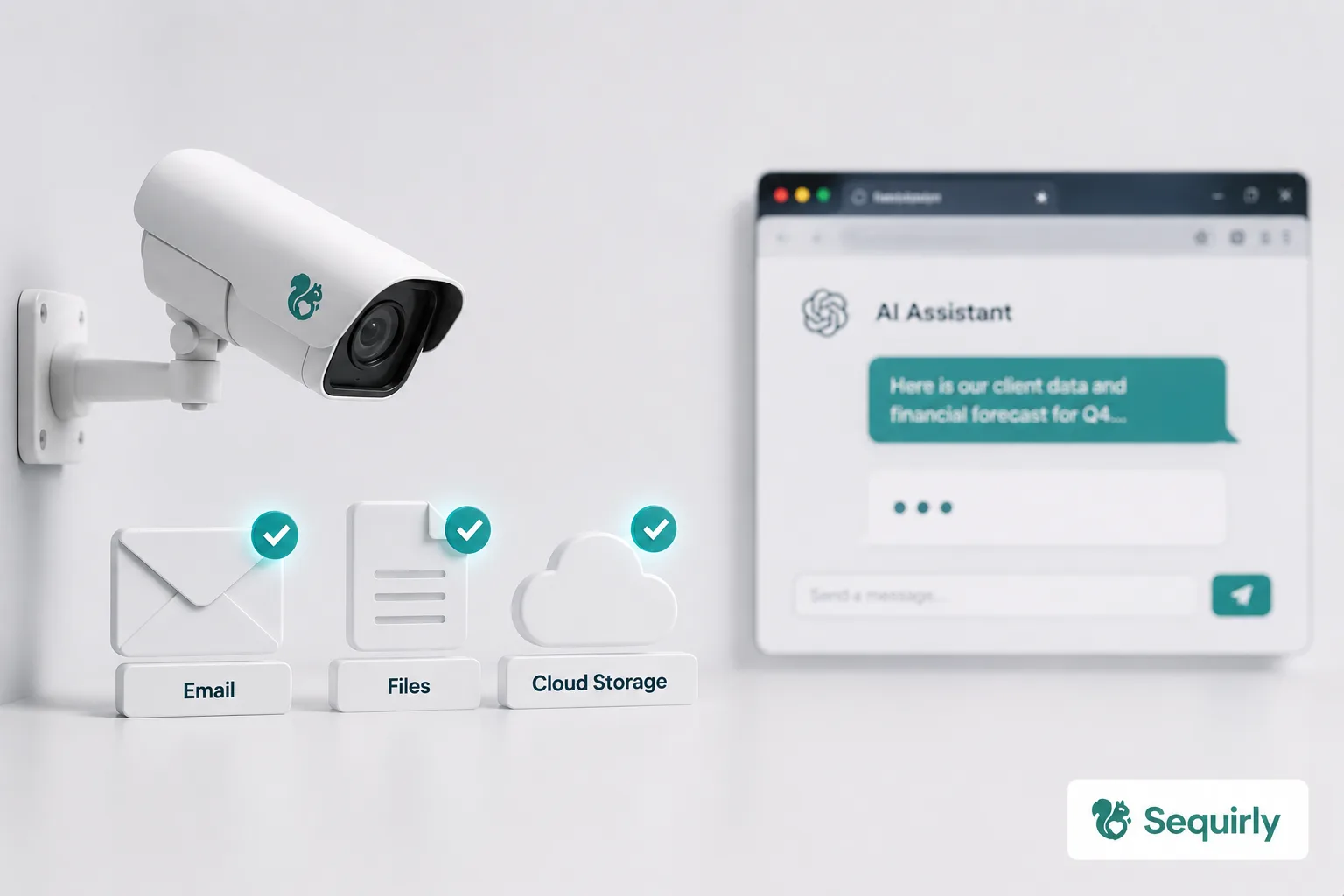
Traditional DLP (data loss prevention) was built to stop sensitive data from leaving your organization through the channels IT controls.
Your team isn't leaking data through those channels anymore.
AI tools changed the picture. And most DLP solutions, including the ones running in your organization right now, weren't built for what's happening.
What Is Data Loss Prevention?
DLP is a category of security tools and policies designed to prevent sensitive data from moving outside your organization without authorization.
The idea is simple: define what's sensitive, monitor where it moves, and stop it from going somewhere it shouldn't.
For two decades, this worked reasonably well.
- Email attachments carrying financial data.
- USB drives with customer records.
- Cloud sync tools uploading confidential documents.
These all move data in structured, predictable ways that DLP tools can monitor.
- Flag the Social Security number in the email attachment.
- Block the file upload that matches a pattern.
- Log the external share.
DLP became a standard part of enterprise security because the threat model was consistent. Data moves through known channels. You monitor those channels.
Then AI tools arrived.
What Changed With AI Tools
When someone pastes client data into ChatGPT, no file is transferred. There is no email or USB drive.
The data moves as text input in a browser, through a web API, to a language model running on external servers.
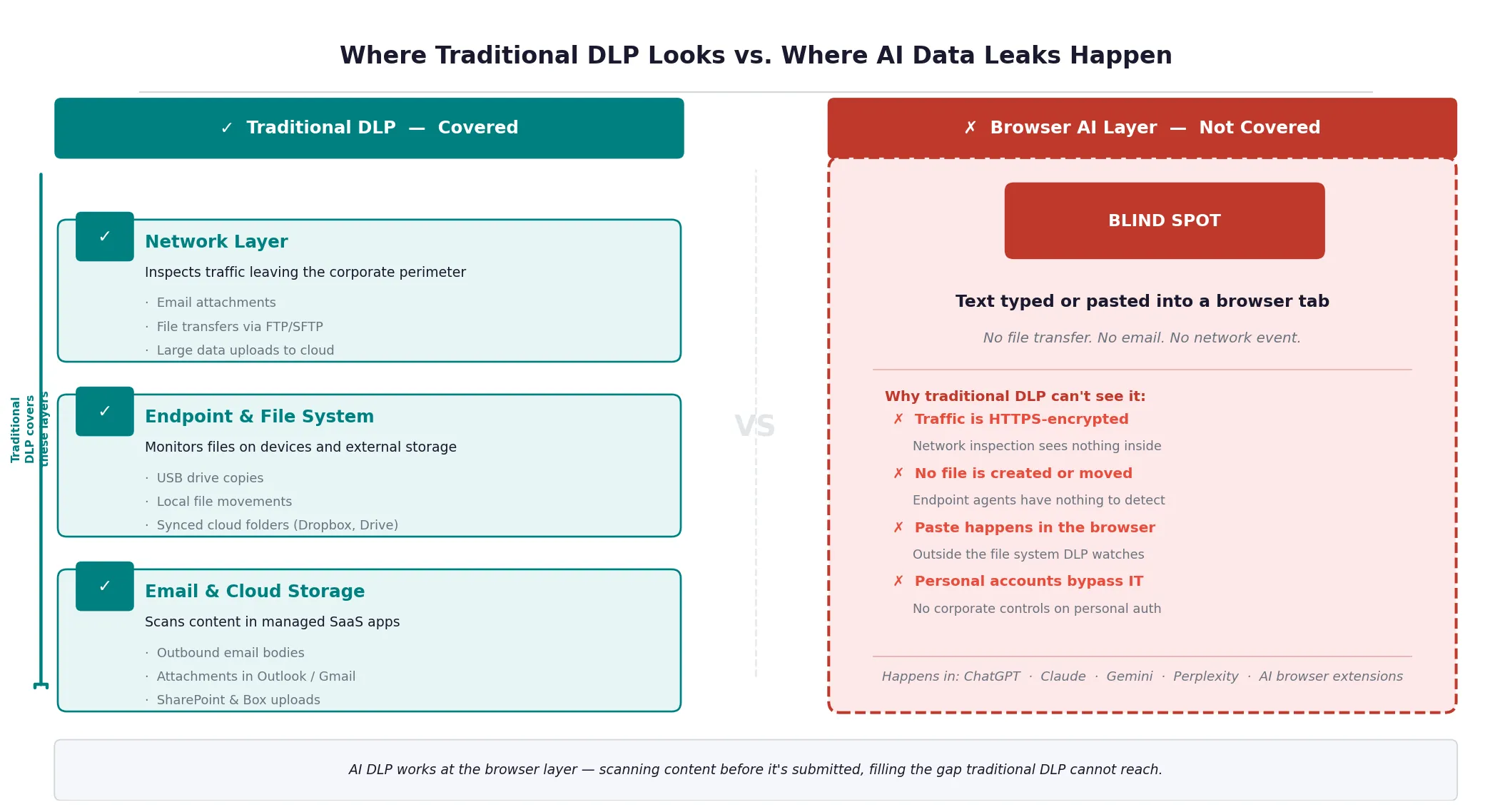
Traditional DLP doesn't see that interaction. It's watching the wrong doors.
When I was first explaining what Sequirly does to a security consultant, his immediate reaction was: "So you're a DLP tool."
The correction I made mattered more than I expected. Not because DLP is the wrong category. Because almost everyone assumes DLP already covers what Sequirly does. And that assumption is leaving real gaps open.
Here's what makes AI data loss structurally different from the data loss DLP was built to prevent:
1. It happens inside browsers.
Most DLP tools monitor network-level transfers or scan files at the endpoint. They don't inspect what someone types or pastes into a browser tab. The browser is where AI interactions happen, and most legacy DLP is blind to it.
2. The content is unstructured.
DLP is good at pattern matching: credit card numbers follow a format, Social Security numbers follow a format, passport numbers follow a format.
But when a developer pastes 200 lines of proprietary source code into Claude, or a marketer describes a client's unreleased campaign strategy in freeform text, there's no pattern to detect. The sensitivity is in the context, not the format.
3. It's frictionless by design.
AI tools are engineered to remove every barrier between a thought and an output.
There's no "Are you sure?" moment. No confirmation screen.
Copy, paste, submit. The interaction happens faster than a security check can interrupt it.
4. Personal accounts live outside corporate visibility entirely.
If someone uses their personal ChatGPT account on a work laptop (or their personal phone), no corporate DLP ever sees the interaction.
The data moves through their personal credentials, through their personal email-linked account, to OpenAI's servers. Invisible.
What AI DLP Actually Is
AI DLP is data loss prevention designed for the specific mechanics of how AI tools work.
Instead of monitoring file transfers and network traffic, it operates at the point where people interact with AI: the browser.
The core capability is pre-submission scanning.
When an employee types or pastes content into an AI tool, AI DLP checks that content before it's submitted.
It looks for sensitive categories you've defined: PII, financial data, credentials, client information, proprietary content.
When it finds something, it can warn the user, block the submission, or log the event for review.
That timing matters more than it might seem.
- After-the-fact logging tells you what went wrong.
- Pre-submission detection prevents it.
- By the time data reaches an external AI model, there's no recall.
Unlike a leaked email, you can't get it back and and you don't know what happens inside the AI tool.
Good AI DLP also covers the full browser environment, not just approved tools. An enterprise that deploys monitoring only on its official ChatGPT Teams account still has no visibility into the six other AI tools its team tries every month.
Why Traditional DLP Fails at AI Tools
Most organizations that have DLP deployed discover the gap the hard way: they run DLP, they experience an AI-related data incident, and then they realize their existing setup never had a chance of catching it.
The coverage failures are specific:
1. Network monitoring misses browser-native transfers.
Many DLP tools operate at the network layer, inspecting traffic as it leaves the perimeter. But HTTPS traffic to AI tools is encrypted.
Without SSL inspection configured (which creates its own overhead and privacy concerns), the content of AI interactions is invisible at the network layer.
2. Endpoint agents don't monitor keystrokes and clipboard contents.
DLP agents installed on devices typically watch for file activity: documents being copied, uploads being triggered.
They don't watch what's being typed or pasted in the browser. The clipboard is the primary way sensitive data moves into AI tools, and most DLP tools don't touch it.
3. CASB tools cover approved cloud apps, not all AI tools.
Cloud Access Security Brokers (CASBs) can monitor activity in approved SaaS applications. But they require the app to be in scope.
The long tail of AI tools (browser extensions, new chat tools, AI writing assistants, coding tools) changes too fast for CASB policies to keep up. And personal accounts on approved platforms fall outside CASB scope entirely.
4. Pattern-based detection misses context-dependent sensitivity.
Proprietary source code doesn't have a detectible format.
A client's go-to-market plan doesn't contain an SSN to flag. Internally sensitive information often looks like ordinary text to a rules engine built on pattern matching.
About 27.4% of data sent to AI chatbots is sensitive, a 156% increase from the previous year. The teams contributing to that number weren't all negligent. Most of them had security policies. Some had DLP. None of it was watching the right place.

Prevent accidental data leaks to ChatGPT, Claude, and Gemini.
Sequirly scans your prompts and uploaded files before they're sent. If it finds credentials, client records, or API keys, it stops you before the request goes out.
The Compliance Dimension
DLP has always been partly a compliance story.
- If you handle health records, you need controls to demonstrate HIPAA compliance.
- If you process financial data in Europe, GDPR has specific requirements around data transfers.
- If you're pursuing SOC 2, your auditors will ask about DLP.
AI tools complicate this picture in ways that catch teams off guard.
1. GDPR and data residency.
When an employee submits EU customer data to an AI tool running on US servers, that's a cross-border data transfer.
If it's happening through a personal account or an unapproved tool, there's no Data Processing Agreement in place. That's a compliance exposure, regardless of whether the data was sensitive by any other measure.
2. HIPAA and PHI.
Healthcare data has specific rules about where it can go and who can access it. Most consumer AI tools are not HIPAA-compliant.
If anyone on your team is pasting patient information into an unapproved tool to help write clinical notes or process claims, you have a HIPAA problem, even if the interaction looks harmless.
3. SOC 2 and vendor management.
SOC 2 audits increasingly ask about AI tool usage.
Auditors want to know
- which AI vendors you've vetted,
- what data processing agreements you have in place, and
- how you're controlling what goes into those tools.
"We trust our employees" doesn't pass.
Traditional DLP was designed in part to answer these compliance questions for email and file transfers. It generates the logs and policy controls that auditors look for.
AI DLP needs to do the same for browser-based AI interactions.
Where Most Small Teams Fall Short
The honest picture for most small teams is one of three situations:
1. No DLP at all.
They run on policies and trust.
Employees know in theory what not to share. But when deadline pressure is real and the AI tool is right there, the policy is the last thing on anyone's mind.
68% of organizations have experienced data leakage from employee AI usage, including organizations with security training programs already in place.
2. Enterprise DLP tools not configured for AI.
Teams that have DLP from a compliance requirement often have it configured for email and file transfers.
- It checks the compliance box.
- It provides real coverage for those channels.
- And it provides essentially zero coverage for what happens in the browser with AI tools.
3. Approved AI platforms with no visibility inside them.
The team uses ChatGPT Teams or Microsoft Copilot. The vendor says your data isn't used for training. That's true for the approved platform.
But there's no visibility into what's actually being submitted, no control over the 5 other AI tools people are trying alongside it, and no protection against the browser extension that reads everything in every tab.
None of these setups catches what actually needs to be caught.
What to Look for in an AI DLP Tool
When you're evaluating tools to close this gap, the requirements are different from traditional DLP. Here's what actually matters for AI-specific data loss:
1. Browser-level detection.
The tool needs to work where AI interactions happen. Not at the network layer, not at the file system, not in a proxy. In the browser, at the point of input.
2. Pre-submission scanning, not post-incident logging.
Alerting you after data is sent is useful for incident reports. It doesn't protect your clients. Look for tools that catch sensitive content before it leaves the browser tab.
3. Coverage across all AI tools, not an approved list.
A tool that only monitors ChatGPT misses Claude, Gemini, Perplexity, browser extensions, AI writing tools, and whatever new tool your team tries next month. You need coverage that follows the behavior, not the vendor list.
4. Flexible, context-aware detection rules.
Pattern matching for SSNs and credit card numbers is table stakes. You also need the ability to define organization-specific sensitive categories: client names, project codenames, financial model details, internal document identifiers.
5. Local processing.
If the tool sends your data to its own external server to analyze it, you've added a new data flow to your threat model. Look for local or on-device processing.
6. Low implementation burden.
An IT-team-level deployment project protects the organization six months from now. A tool that installs in two minutes protects it today. For small teams without dedicated IT resources, setup simplicity is a real selection criterion.
How Sequirly Approaches This
Sequirly was built for the specific gap this post describes: browser-based AI interactions that traditional DLP can't see.
- It runs as a browser extension and scans content before it's submitted to any AI tool, approved or not.
- Detection happens locally, so your data isn't going to another external server to be analyzed.
- It works across the AI tools your team is already using, not just the ones IT has approved.
What it doesn't do:
- it won't replace a clear AI usage policy
- it won't surface the shadow tools your team is using if you haven't discovered them yet (see our guide on shadow AI for that), and
- it won't manage your broader data governance infrastructure.
It's focused on the specific moment where small teams are most exposed.
If you're evaluating whether Sequirly fits your setup, the shortest version is: if your team uses AI tools in the browser and you have no pre-submission detection in place, there's a gap. Sequirly closes it.
Try Sequirly free. Setup takes two minutes, no IT department required.
Where to Start
If AI DLP is new territory for your team, start by understanding your actual exposure before buying any tools.
Our 7-step guide to preventing AI data leaks covers the audit steps:
- which tools your team is using,
- what data they're sharing, and
- which privacy settings need updating.
That work costs nothing and gives you a clearer picture than most teams have.
From there, the sequence is:
The first three steps are policy and process. They're free. They catch the obvious risks. The fourth step is where a tool like Sequirly fits.
Start with the audit. You'll know quickly where the gaps are.