
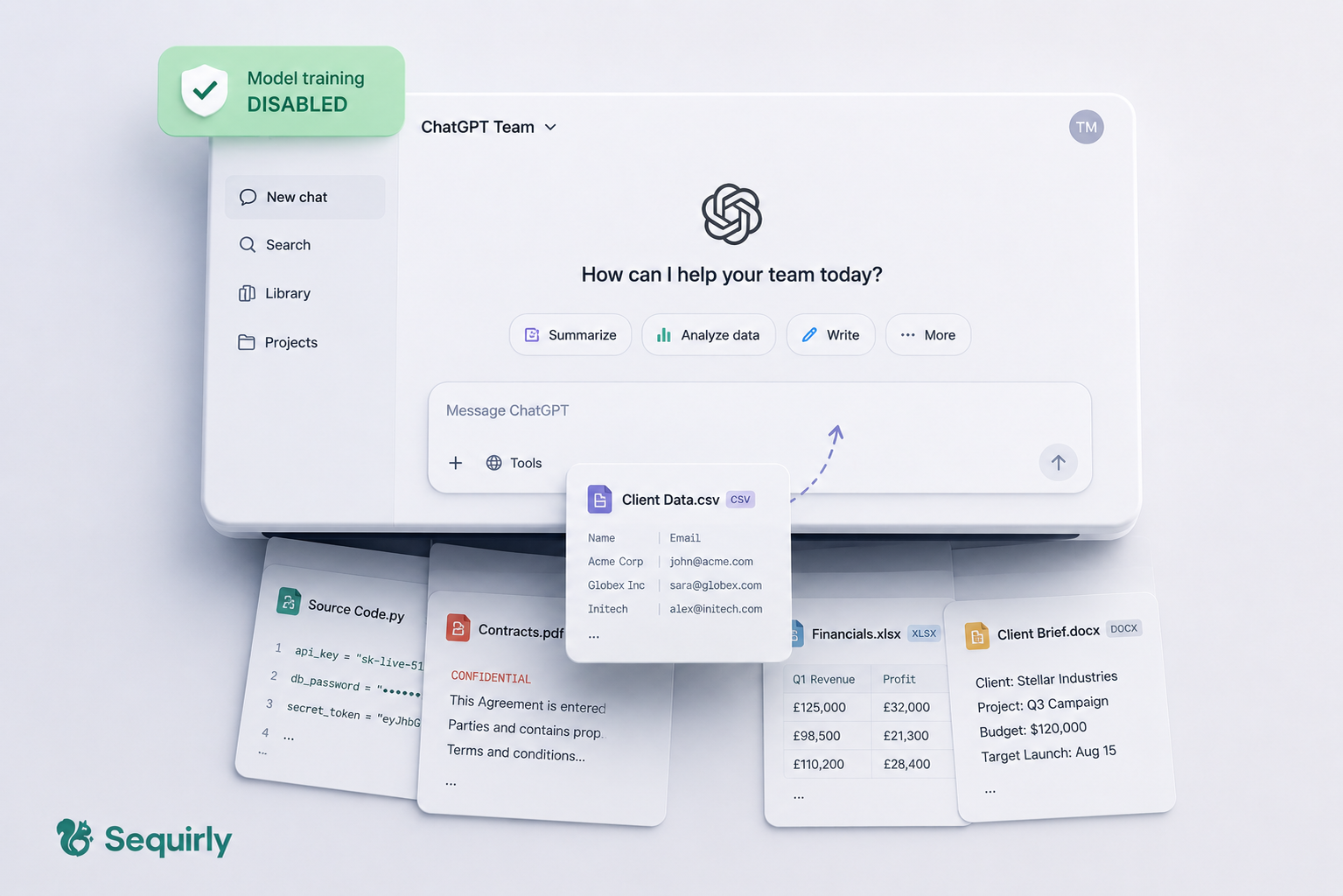
ChatGPT's Team plan doesn't use your data to train its model. But it doesn't mean your data is safe.
There's a meaningful gap between those two things, and most team leads don't know it exists until something goes wrong.
- OpenAI retaining prompts for abuse review
- Staff bypassing your workspace entirely to use personal accounts
- Developer pasting a database schema to debug a query
These are the exact use cases of how your team is using ChatGPT today.
If your team uses ChatGPT and you haven't run a basic chatgpt security best practices setup, here are the five steps to do it now. About five minutes total.
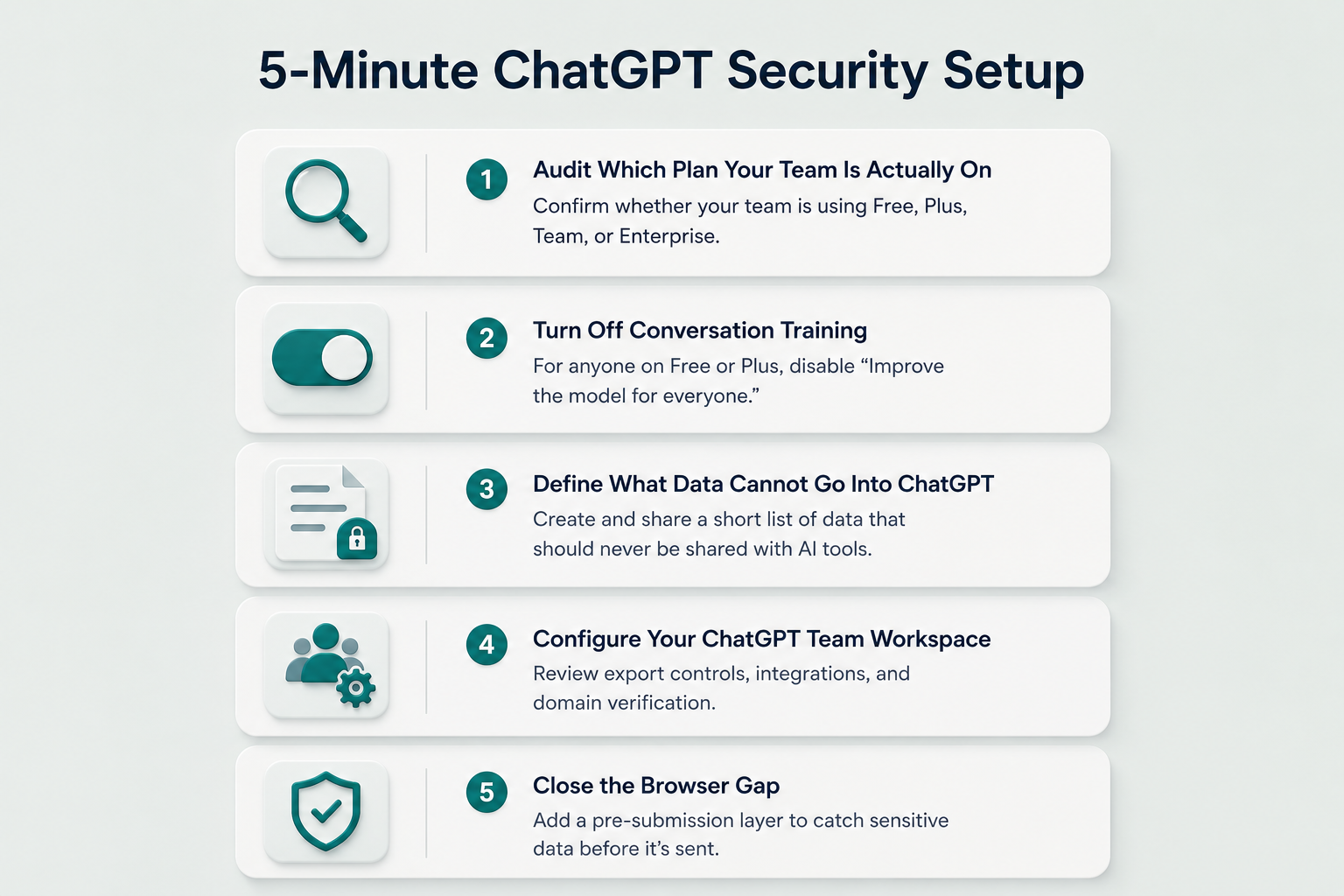
Step 1: Audit Which Plan Your Team Is Actually On
This is the step most team leads skip.
Over 60% of employees using ChatGPT at work are on personal accounts. This means no admin controls, no oversight, and by default, their conversations are used to train future models.
Ask your team which ChatGPT account they log into for work. If the answer is a personal Gmail or Outlook account, you have an unmanaged AI deployment.
If your team is on the free tier and using it for work, you need to move them to a paid plan. And you can't miss the next step.
Step 2: Turn Off Conversation Training for Everyone Not on Team or Enterprise
For any team member on a free or Plus account, this is the first setting to change.
In ChatGPT: Settings > Data Controls > toggle off "Improve the model for everyone." Not sure what each plan does? Does ChatGPT Train on Your Data? lays it out.
This stops those conversations from being used to train future models. It doesn't delete stored prompts; OpenAI retains conversations for up to 30 days for abuse monitoring regardless. But it removes the training use.
Thirty seconds per account. Send this step directly to anyone on a free account.
Step 3: Define What Data Cannot Go Into ChatGPT
A policy that nobody can remember is no policy at all.
You don't need a 10-page document. You need one clear list, sent once, referenced when someone starts.
Example categories:
- Client names, emails, and contact records
- Source code and API keys
- Internal financial data
- Contract terms or deal details
- Any file marked confidential
If you work in a regulated industry, add the relevant data types: PHI for healthcare, PII for teams handling client data under GDPR or CCPA.
For a template you can adapt, the AI Governance for Teams guide has a one-page policy structure that works for teams under 50 people.

Prevent accidental data leaks to ChatGPT, Claude, and Gemini.
Sequirly scans your prompts and uploaded files before they're sent. If it finds credentials, client records, or API keys, it stops you before the request goes out.
Step 4: Configure Your ChatGPT Team Workspace
If you're on the Team plan, log into your admin workspace and check three settings.
Conversation export controls. Decide whether team members can export full conversation history. For most teams, this should be off or admin-controlled.
Integration scope. If your team has connected ChatGPT to Google Drive, Slack, or GitHub, review what those integrations can access. A connector scoped to "all Google Drive files" gives ChatGPT read access to every document the user can see, not just what they meant to share.
Domain verification. Make sure your team's email domain is verified so new joiners land in your workspace rather than creating personal accounts.
Do it once unless your team structure changes.
Step 5: Close the Browser Gap
The settings above protect data at the account level. They don't stop someone from typing client data into a prompt at 4pm under deadline.
By the time data reaches ChatGPT's servers, there is no recall.
The Samsung engineers who leaked source code in 2023 weren't trying to cause a problem. According to Forbes' reporting at the time, they were debugging production hardware issues.
In January 2026, CISA's acting director uploaded sensitive government documents to the public version of ChatGPT. CISA's own monitoring systems caught it after it had already left.
After-the-fact detection doesn't help with data that can't be recalled.
For teams that want a pre-submission layer that flags or blocks sensitive data before it's sent, Sequirly sits between your team and any AI tool in the browser and catches sensitive data before it's transmitted. Everything runs locally and nothing passes through Sequirly's servers. It works across ChatGPT, Claude, Gemini, and others without needing IT, and installs in about two minutes.
Where to Start
If you do nothing else today:
That closes the most common gaps. For the broader picture of your team's AI security posture, the AI Security for Teams guide covers the full scope in one place.
Ready to add the pre-submission layer? Try Sequirly free.