
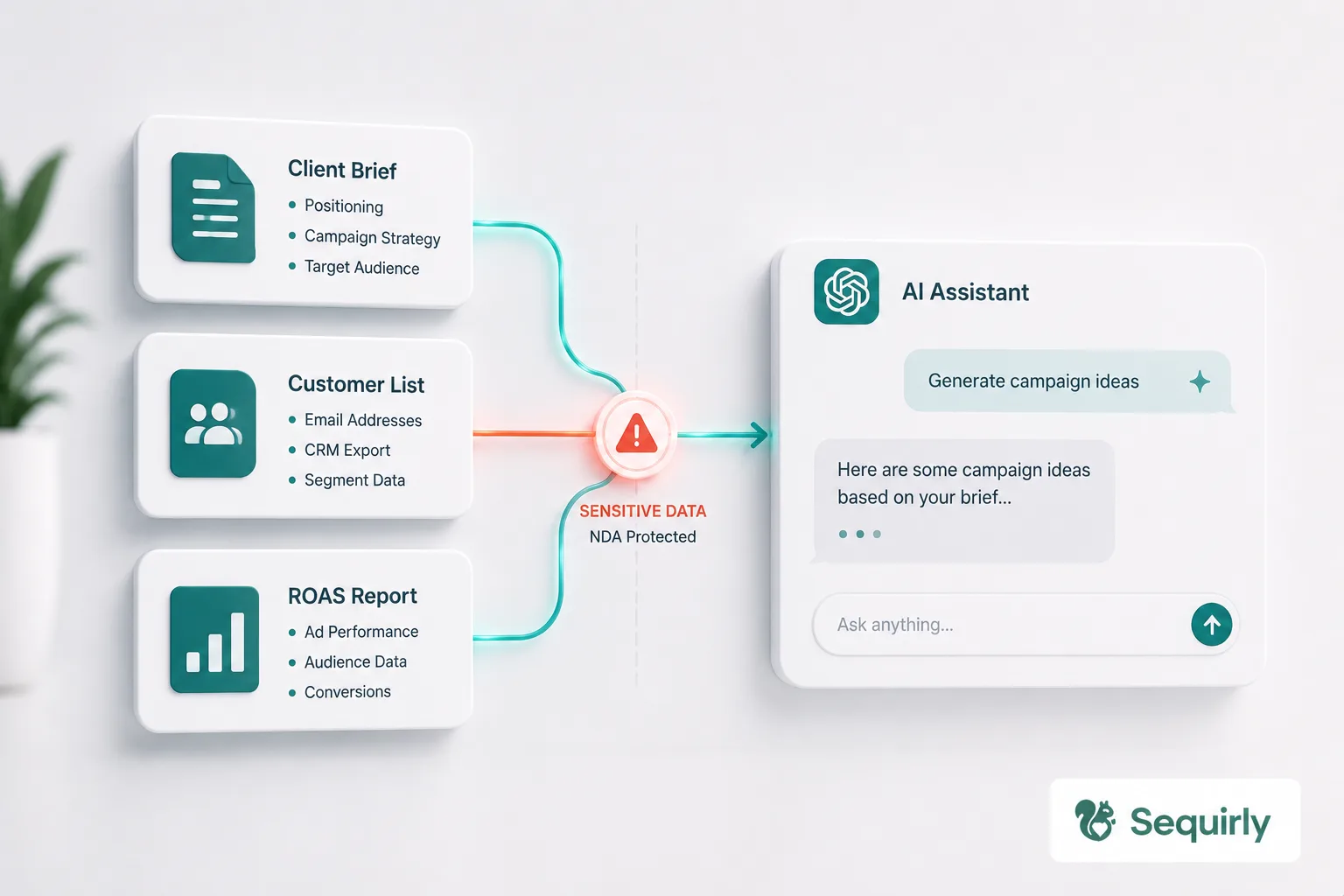
Your marketing agency just signed an NDA with a client. I have two questions for you.
For question one: probably not explicitly. But almost every NDA prohibits sharing confidential information with third parties, and ChatGPT is a third party. For question two, we'll get to that at the end, because the answer isn't "train your team on the NDA." It's something simpler.
The real AI security risk for marketing teams lives in the daily workflow: writing copy, summarizing briefs, pulling lists from the CRM. Not in breaches. Not in hacks. In the work your team does every afternoon.
If your team uses AI on a daily basis, here's what you need to understand.
What your team is actually putting into AI tools
Think about what goes into ChatGPT on a normal week at your agency.
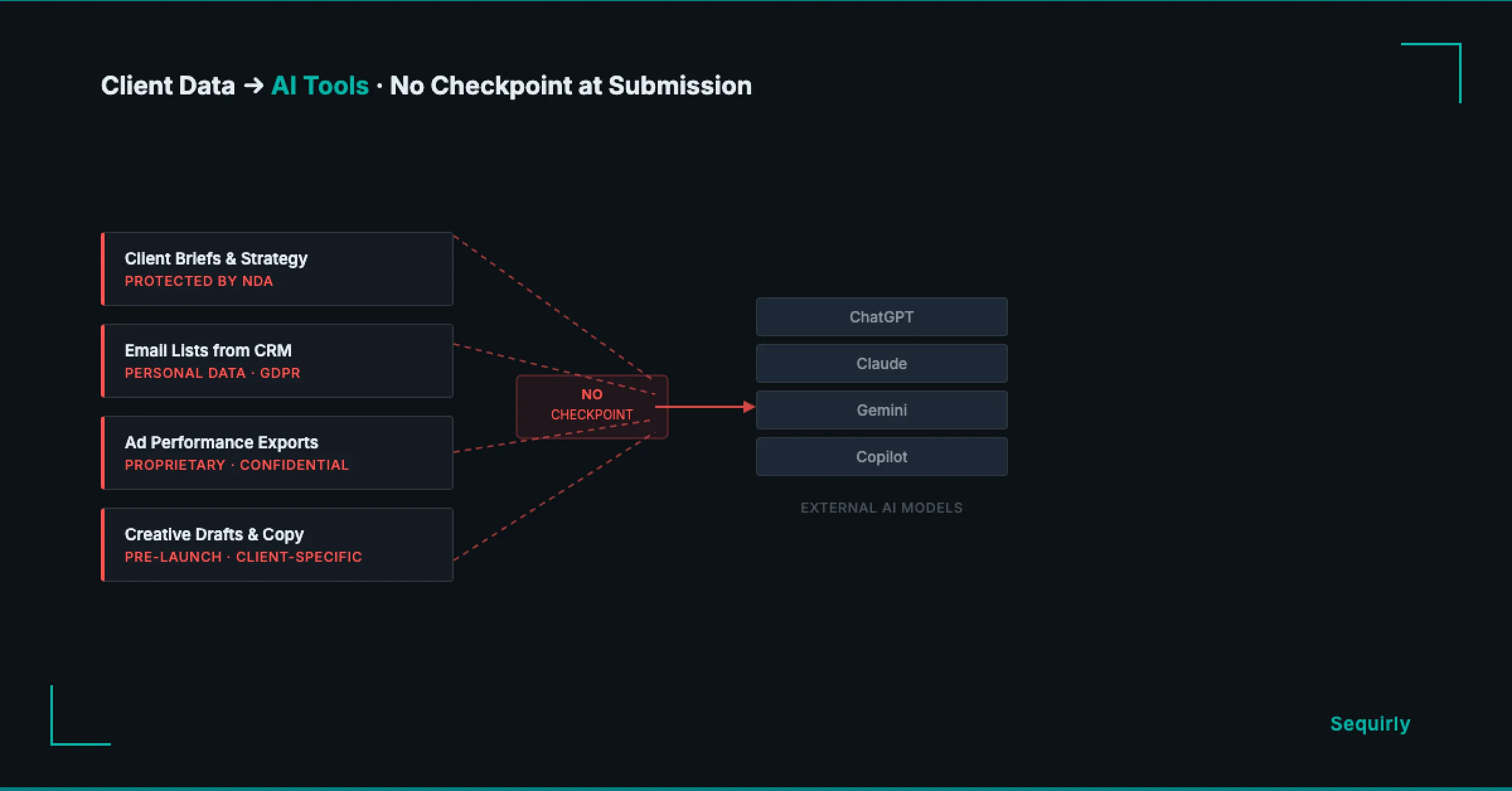
- Client briefs and strategy documents: audience personas, positioning, competitive analysis. All of it protected under the NDA your team signed before receiving any of it.
- Ad performance exports with ROAS figures, account IDs, and audience segment names that clients treat as proprietary.
- Email lists pulled from the CRM to write copy or test subject lines.
- Creative drafts that name the client, their product, and their launch date before anything is public.
Every marketing team working with AI touches data like this every week.
The data that makes AI genuinely useful for marketing work is exactly the data your client agreements say you can't share with third parties.
The three risks for marketing teams using AI
1. The NDA you signed before ChatGPT existed
When a client hands your agency their strategy and customer data, they sign an NDA with you.
You've almost certainly never signed anything with OpenAI about that same data.
GDPR Article 28 requires a signed Data Processing Agreement (DPA) with any third party that processes personal data on your behalf. OpenAI qualifies.
If your team works with EU clients or EU consumer data and has been pasting it into ChatGPT without that agreement, you have a compliance gap right now.
Picture what this looks like in practice. Your copywriter uploads a client's email list to draft subject line variants. The list has names, email addresses, and purchase history. Your client signed a data agreement with you before sharing it. No equivalent exists with the platform that now holds the data.
Italy's data protection authority investigated OpenAI in 2023 over exactly this, issuing a EUR 15 million fine in December 2024. A Rome court cancelled that fine in March 2026, but the investigation ran for three years regardless.
2. The plan tier your team is actually on
Not all ChatGPT plans treat your data the same way.
| Plan | Training on conversations (default) | Opt-out available |
|---|---|---|
| Free | Yes | Settings > Data Controls |
| Plus | Yes | Settings > Data Controls |
| Team | No | Off by default |
| Enterprise | No | Off by default |
Chances are, some people on your team are using personal free or Plus accounts for client work — not because it's policy, but because it's what they set up on their own.
Harmonic Security found that 87% of ChatGPT's sensitive data incidents in 2025 occurred via free-tier accounts. The opt-out exists, but only if someone went into settings and turned it off. Most people never have.
3. The CRM integration nobody reviewed
ChatGPT now connects directly with HubSpot and Salesforce.
HubSpot classifies zero fields as sensitive by default when connected. Every contact record, deal note, and company property is accessible to ChatGPT the moment the integration goes live.
Salesforce built an official ChatGPT connector in December 2025 specifically to stop employees from doing this through personal accounts outside company controls.
That connector exists because employees were already doing it the other way. If someone on your team connected ChatGPT to your CRM and nobody reviewed what was included, client contact data may already be going through it.

Prevent accidental data leaks to ChatGPT, Claude, and Gemini.
Sequirly scans your prompts and uploaded files before they're sent. If it finds credentials, client records, or API keys, it stops you before the request goes out.
Four things that actually help
Banning AI tools doesn't work. Banning just moves the usage to a personal account or a personal device.
So don't ban them. Do these four things instead.
1. Build a data tier list.
Three buckets:
- green (generic content, nothing client-specific)
- yellow (internal data with no client identifiers)
- red (anything with a client name, contact records, financial figures, or credentials)
Make it a single page and drop it in your team Slack.
2. Move client work to a Team plan.
The opt-out toggle on Free and Plus isn't enough if you handle EU data.
A Team plan turns training off by default and gives you the contractual terms that actually matter. If you're managing multiple clients with sensitive data, personal free accounts aren't a real option.
3. Check what's connected.
If any CRM integration has been linked to any AI tool, look at which fields are accessible before the next time your team uses it.
Your clients' contact records aren't yours to share without that review.
4. Write a policy people will actually read.
A document in a folder nobody opens isn't a policy.
The AI governance guide for teams walks through building a one-page framework your team will follow without a compliance department enforcing it.
Where to start
Find out what's already moving through your team's AI tools right now.
Most people on your team don't know which tier they're on, whether conversation training is off, or whether a CRM integration was set up once and forgotten. A 20-minute check covers it: list every AI tool in use, confirm account tiers, and ask one team member to show you a recent prompt that touched client data.
For a framework to find and assess AI usage across your whole team, the shadow AI audit guide covers that process. For the broader set of controls that work at your size, start with the AI security guide for teams.
The layer that catches what policy misses
You can build the tier list, upgrade the plan, and run the audit. Your team will still have someone paste something they shouldn't, because the AI tool is one tab over and the deadline is in an hour.
This is also the answer to that second question from the top, whether your team knows what's in the NDA. They don't need to. They need a tool that enforces the limits automatically, so the right thing happens even when nobody's thinking about it.
Sequirly catches it before it leaves the browser. You define what's off-limits once, client names, contact records, credentials, whatever your NDA covers, and Sequirly blocks it before it's submitted to any AI tool. Two-minute install, no IT team needed.
It works across ChatGPT, Claude, Gemini, and every other browser-based AI tool your team uses. Everything runs locally, no prompt content reaches Sequirly's servers. Your admin dashboard shows which categories were flagged, not what your team actually wrote.
Try Sequirly free to see how it works for a team your size.