
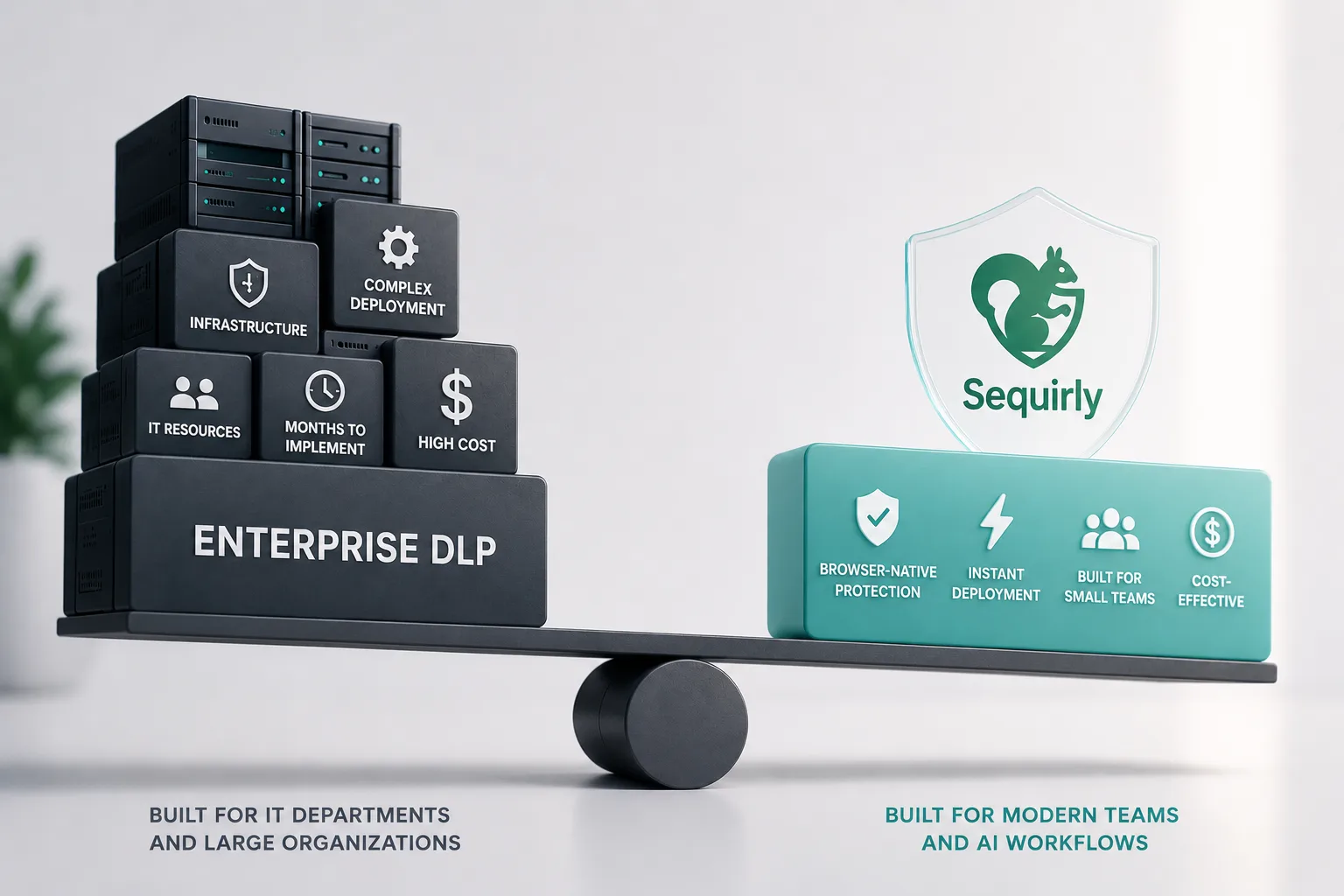
Enterprise DLP was built to stop data from leaving your network.
But when a developer pastes API keys into a ChatGPT prompt, it fails. This gap matters for any honest AI security tools comparison.
It's a category mismatch, and if you're choosing protection for a team of 10 to 50 people, that distinction changes what you should actually buy.
According to Metomic's 2025 research, 34.8% of employee inputs to ChatGPT contain sensitive data. Only 17% of companies have technical controls in place to stop it.
If you're sitting between "do nothing" and "deploy a $100,000 platform," this is the breakdown.
Why Enterprise DLP Has a Blind Spot for AI Tools
Traditional data loss prevention works at the network and endpoint level.
It watches for data moving through file transfers, email attachments, USB drives, and cloud sync.
New AI tools like ChatGPT and Claude don't work that way.
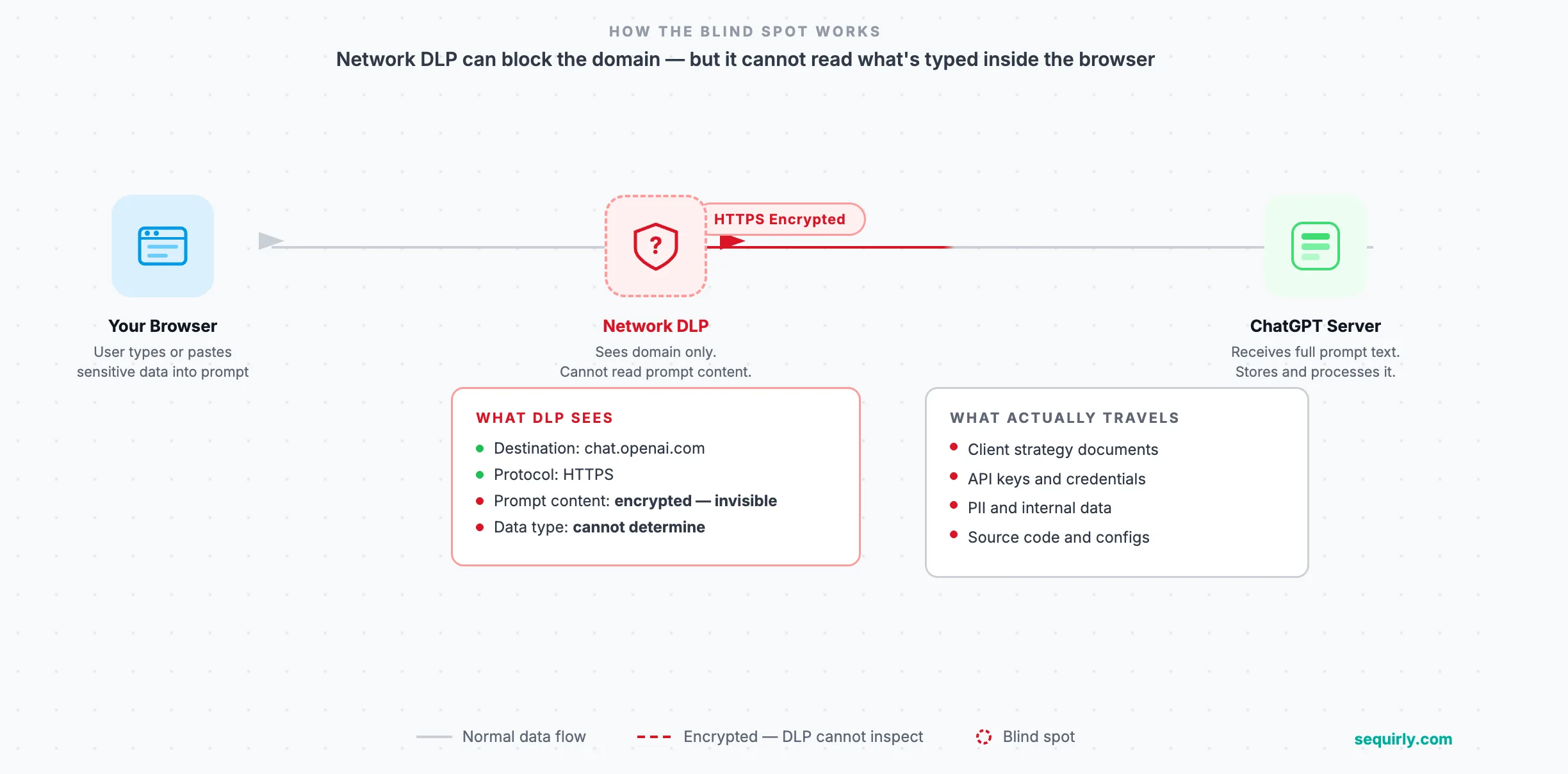
When someone on your team types a client brief into a prompt, there's no file transfer. The data travels as text inside an HTTPS browser session, sent to an external server.
Network-level DLP sees the encrypted connection to chat.openai.com. Without SSL inspection configured specifically for AI tool domains, it can't read what's inside.
The browser is the channel enterprise DLP was never designed to see inside.
For a full breakdown of how AI DLP categories differ, AI Data Loss Prevention: What It Is and Why Your Team Needs It covers the full picture.
What Enterprise DLP Actually Costs a Small Team
The pricing tells most of the story.
For SMBs, enterprise DLP software runs $15,000 to $50,000 per year on licensing alone. Professional services for initial deployment add another $20,000 to $100,000. Complex configurations take three to six months to complete.
Nightfall AI, one of the more accessible enterprise options, starts around $75,000 per year for full deployments. Cyberhaven is quote-based at a similar tier.
Both are strong tools. They were built for organizations with dedicated security teams, IT staff to tune policies, and the runway to run a six-month implementation project.
IBM's 2025 Cost of a Data Breach Report found that 97% of organizations that suffered AI-related breaches had no proper AI access controls in place.
They are not negligent; they just couldn't deploy what was available to them.
If your team doesn't have a dedicated security lead, enterprise DLP creates a different problem. You get either a partial deployment that creates a false sense of coverage or a tool you never fully configure at all.
The AI Security Tools Comparison: Side by Side
Here's where enterprise DLP and browser-native AI security sit differently.
| Categories | Enterprise DLP (Nightfall, Cyberhaven) | Sequirly |
|---|---|---|
| Deployment time | 3–6 months | 2 minutes |
| IT team required | Yes | No |
| Annual cost | $75,000+ | Fraction of that |
| Coverage area | Network, endpoint, cloud storage | All AI tools in the browser |
| Intervention point | After data enters the network pipeline | Before submission, in the browser |
| What it catches | File uploads, email, cloud sync | Typed and pasted content in AI prompts |
| Best for | 200+ person orgs with security teams | Teams of 5–50 using AI tools daily |
The intervention point row is the one that matters most.
Enterprise DLP acts after data has entered the network pipeline. By the time a ChatGPT prompt reaches an external server, the content has left your control. There is no recall.
Browser-native protection intercepts it before it's sent. Everything happens locally, before the data leaves the browser.

Prevent accidental data leaks to ChatGPT, Claude, and Gemini.
Sequirly scans your prompts and uploaded files before they're sent. If it finds credentials, client records, or API keys, it stops you before the request goes out.
When Enterprise DLP Actually Makes Sense
This is worth being direct about.
If you're a 300-person firm with a Chief Information Security Officer, a compliance team, and a dedicated security budget, enterprise DLP is the right category. The depth of coverage, audit logging, and policy engine you get from a platform like Nightfall or Cyberhaven is real.
The problem comes when a team of 20 buys a tool designed for a team of 2,000. The deployment stalls. The tuning never gets done. You end up with an expensive license and the same protection gap you started with.
If you're not sure where your team sits on this spectrum, the Best AI Security Tools for Small Teams guide walks through the full comparison across categories.
What to Look For in an AI Security Tools Comparison
Before committing to any tool, get answers to five questions.
Does it work at the browser level?
That's where AI usage actually happens. If it can't see inside the browser, it can't catch what gets typed into a prompt.
Can it be deployed without IT involvement?
A tool that requires infrastructure to set up is a tool that won't be fully running for months. For most small teams, that's a full protection gap while the project is pending.
Does it catch typed and pasted content?
Most AI data leaks via AI tools happen through copy-paste, not file uploads. The tool you choose needs to see typed and pasted content, not just file transfers.
Can it be configured to your team's specific risk profile?
Client data looks different from API keys. A marketing team has different exposure than a software consultancy. The tool should let you define what matters for your context, not just apply a generic block list.
What does the admin actually see?
You need enough reporting for a compliance conversation. You don't need full content logging of every prompt every employee writes.
These are the questions to answer before you sign a six-month deployment contract or a $75,000 annual license.
Where to Start
Start by understanding what's actually leaving your team through AI tools today.
The AI Security for Teams: The Complete 2026 Protection Guide covers how to assess your exposure and choose the right category of control for your team size.
From there, match the tool to the actual problem. If your team is already using ChatGPT, Claude, Gemini, or other browser-based AI tools and you need something running today, a six-month enterprise deployment isn't the answer.
Sequirly installs in two minutes. It catches sensitive data before it reaches any AI model, locally in the browser, without IT involvement. The admin gets metadata reporting for compliance documentation. The team keeps working.