
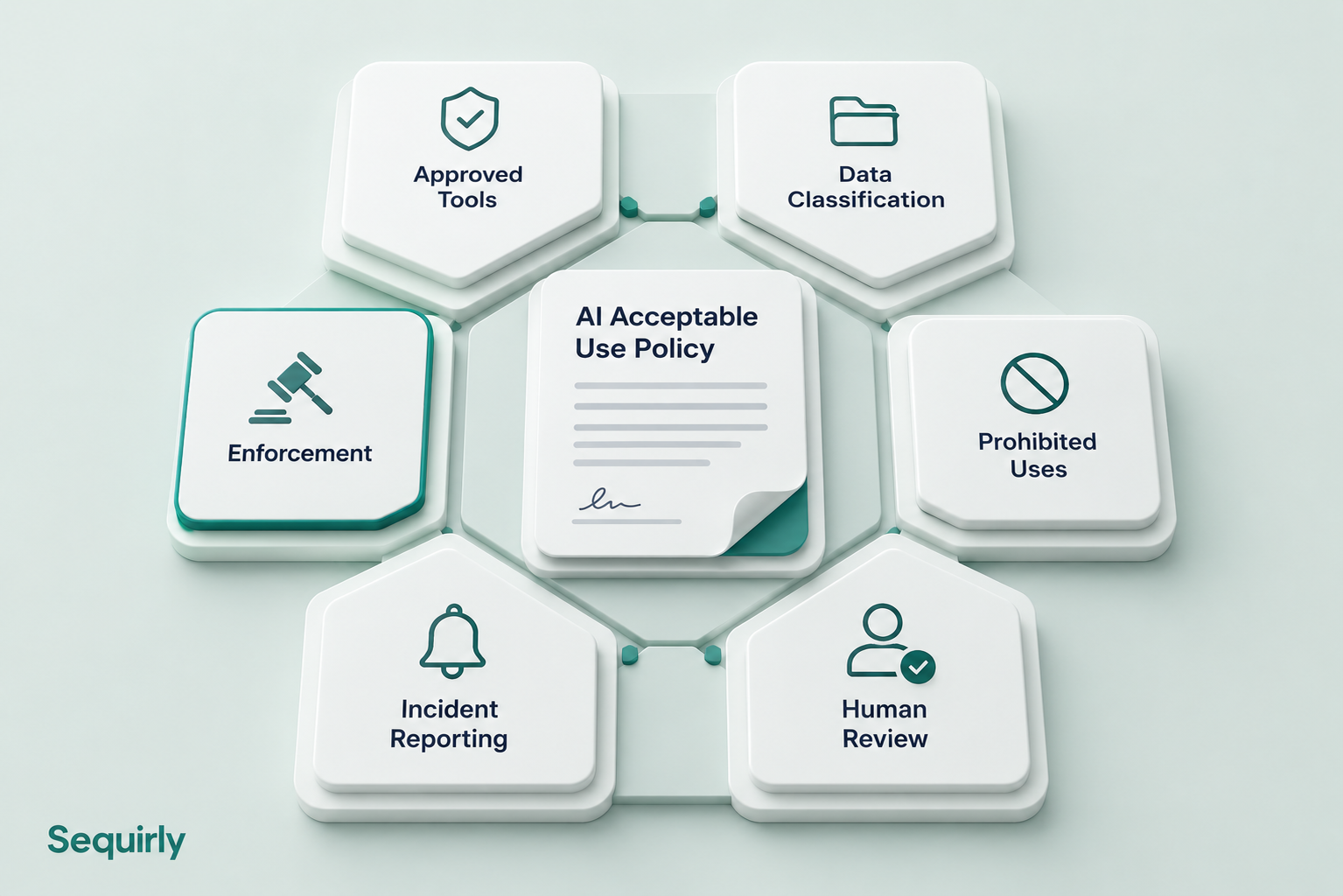
An effective AI acceptable use policy covers six things: approved tools, data classification, prohibited uses, human review requirements, incident reporting, and enforcement.
Most policies that fail leave at least one of these vague or missing entirely.
Forty-four percent of workers say their employer has no clear AI policy, or aren't sure if one exists. The other 56% aren't necessarily in better shape.
A policy that says "use AI responsibly" protects about as well as no policy at all.
If you're writing an AI acceptable use policy from scratch, or updating one that's become a placeholder document, here is what needs to be in it.
Don't want to start from a blank page? Generate yours in five minutes. You can edit everything.
The Six Sections an AI Acceptable Use Policy Actually Needs
A functional AI acceptable use policy (AI AUP) doesn't need to be long. It needs to be specific enough that someone reads it once and knows exactly what they can and cannot do.
These six sections cover what matters for a team using AI tools as part of daily work.
1. Approved Tools
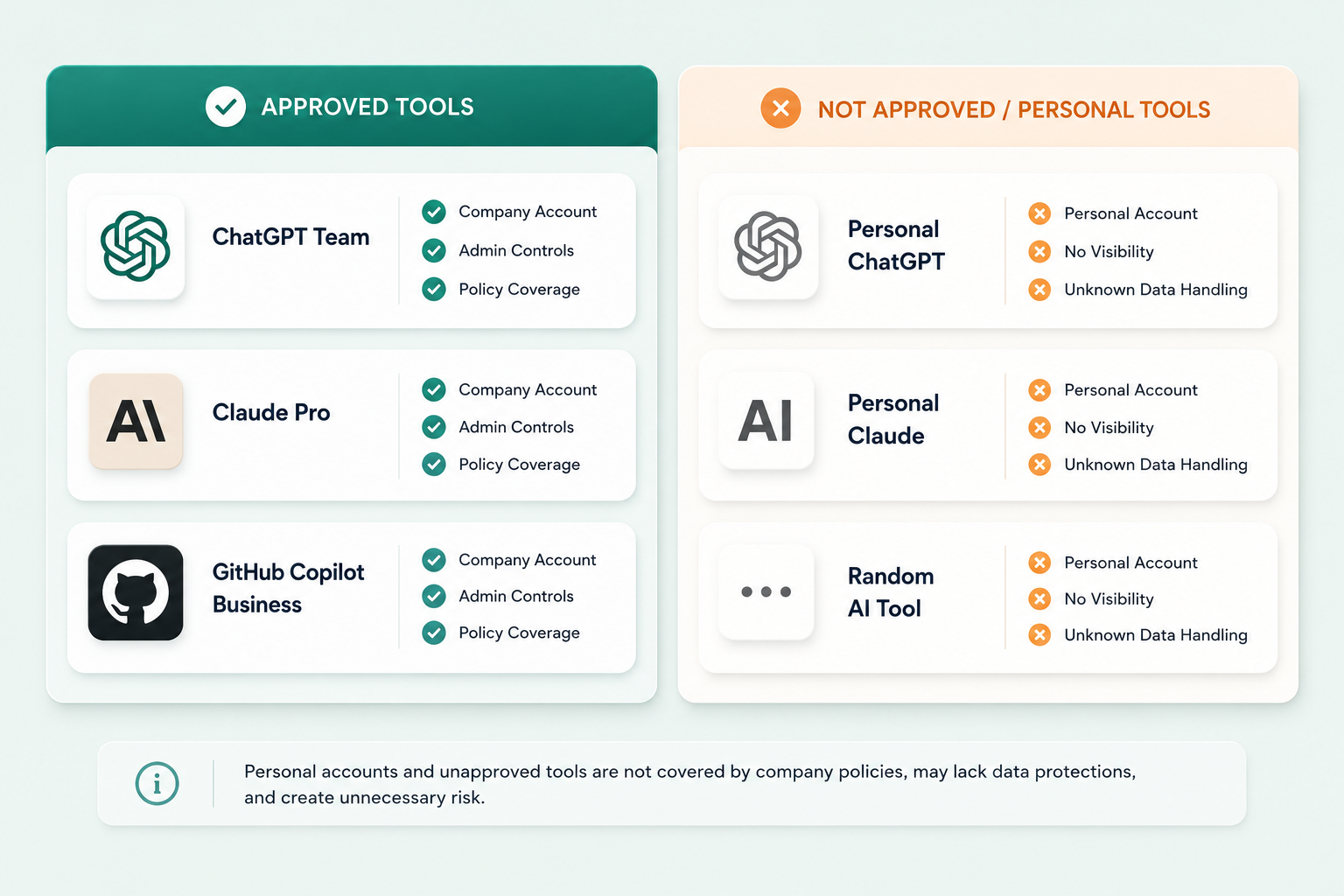
List the exact tools your team is allowed to use. Also specify the account type each tool in use (e.g. Enterprise, Team etc. ).
Not this: "Enterprise-grade AI tools approved by IT or management."
This: "ChatGPT Team (not the free tier), Claude Pro, and GitHub Copilot Business."
Every tool not on the list is unsanctioned by default.
Include one clarification that catches the most common mistake: a personal account of an approved tool is not the same as the company account.
Your employee's personal ChatGPT account and your company's ChatGPT Team account handle data completely differently. Free-tier personal accounts are often used for model training. Enterprise accounts contractually opt out. That distinction needs to be in writing.
2. Data Classification
This section does the most protective work in the entire policy.
You should map each category of data your team handles to what can and cannot go into an AI prompt. Four classes cover most teams:
| Data Class | Examples | Permitted AI Use |
|---|---|---|
| Public | Published content, public information | Any approved tool |
| Internal | Internal docs, project files, meeting notes | Approved tools only |
| Confidential | Client data, contracts, financial data | Approved tools with enterprise contracts |
| Restricted | PII, API keys, source code, credentials, health records | Prohibited without written approval |
The most common failure in this section is a vague "Restricted" category.
- "Sensitive data" means different things to different people.
- "Client email addresses, API keys, and source code" is specific and useful.
One often-missed rule: data classification isn't a one-time exercise. New client types, new project types, and new AI capabilities all mean the classification rules should be reviewed at least quarterly.
When a new AI tool enters your stack, the data classification table needs to address it explicitly.
3. Prohibited Uses
Some uses are off-limits regardless of what data is involved.
For most teams, the highest-risk prohibited uses to state explicitly are:
- Generating client-facing content presented as human-written without disclosure to the client
- Making employment decisions based on AI output without documented human review
- Writing code designed to bypass security or authorization controls
- Sharing data covered by a client NDA with any AI tool not covered by an enterprise agreement
- Using personal AI accounts for work, including signing into approved tools with personal credentials
Keep this section short and concrete.
If someone reads it and still isn't sure whether their specific task qualifies, your policy document needs to be more specific.
4. Human Review Requirements
AI tools produce confident-sounding output that is sometimes wrong.
Your policy should specify when human review is required before AI output is acted on:
- Client deliverables before they go out
- Legal or compliance documents
- Code committed to production
- Financial decisions above a defined threshold
- External communications from the company
This also protects you when something goes wrong.
"We had a documented review requirement for all client deliverables" is a better position than "we trusted the model."
Reviewers should document that the review occurred, not just that it happened in passing. A log entry in the relevant system of record is enough.
5. Incident Reporting
People will occasionally share with AI something they shouldn't. The question is whether you find out.
Your policy needs a specific person and contact method (not just "the security team"), a timeframe for reporting, and a clear statement that good-faith mistakes reported quickly are handled differently than violations that surface weeks later.
One sentence does most of the work: "Reporting an accidental AI data share within 24 hours will not result in disciplinary action."
An incident you know about in hour one is recoverable and does less harm than the one you find out about in month three.
6. Enforcement
This is the section most policies skip, and it is the most consequential one.
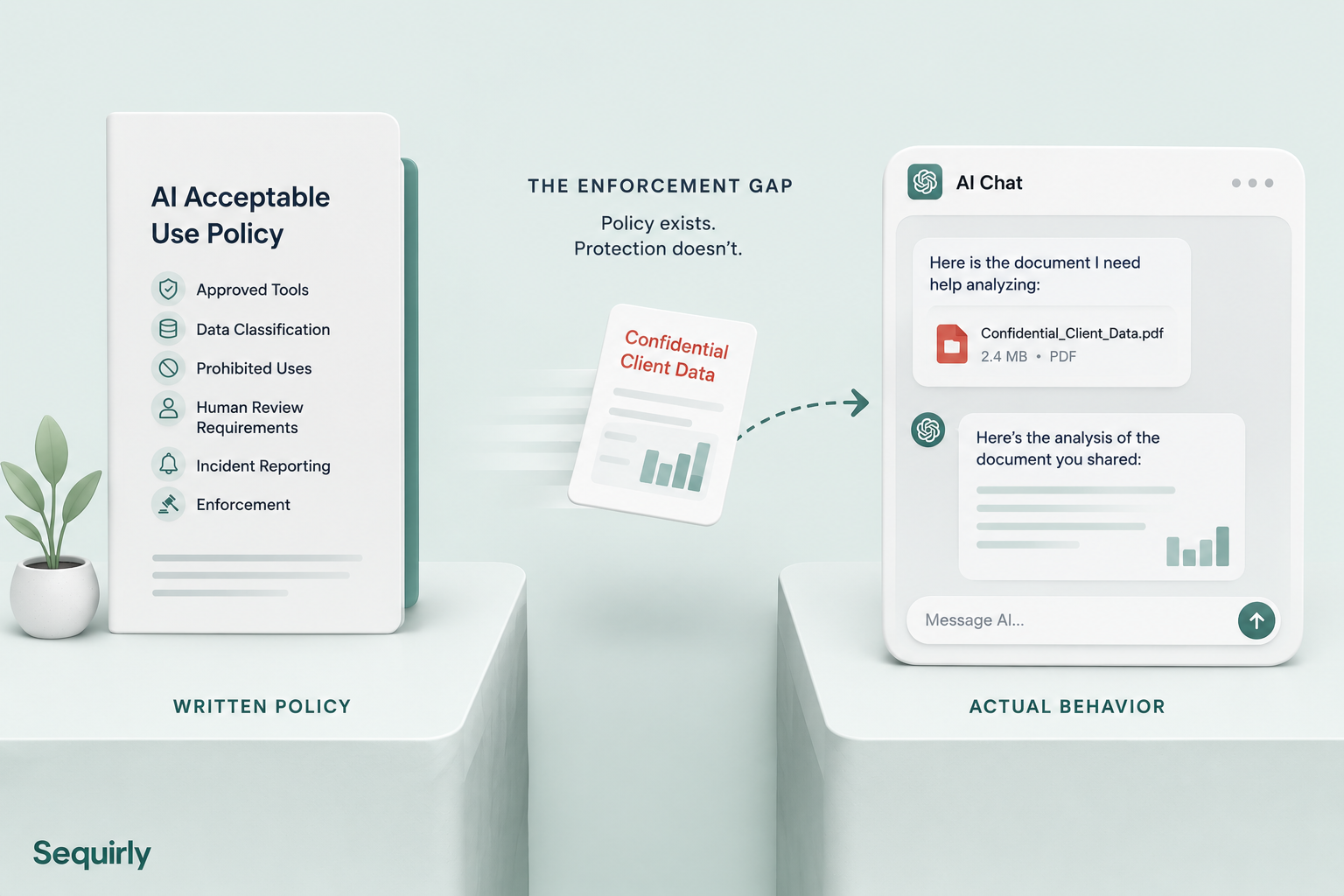
A policy that says "don't paste client data into ChatGPT" with no mechanism to prevent it is a statement of intent, not a control.
The engineers weren't careless. They were trying to get their work done faster.
But the problem was that pasting data into ChatGPT is frictionless, and stopping the work to consult a written policy is a hassle.
Enforcement means a layer running at the point of use, not employee monitoring or surveillance. For more on what AI governance enforcement looks like in practice for small teams, AI Governance for Teams: Build a Policy That Actually Works covers the practical approaches.

Prevent accidental data leaks to ChatGPT, Claude, and Gemini.
Sequirly scans your prompts and uploaded files before they're sent. If it finds credentials, client records, or API keys, it stops you before the request goes out.
What a Small Team Policy Looks Like
Most AI acceptable use policy templates you'll find online were written for legal teams at companies with hundreds of employees.
They include risk registers, steering committee approval chains, and governance frameworks measured in pages, not paragraphs.
For a 20-person team, that is not what you need.
Enterprise templates aren't wrong for large companies. They're often built around assumptions that don't hold for smaller teams:
- dedicated security staff to monitor and enforce,
- legal teams to interpret edge cases, and
- procurement processes that review each new AI tool before it reaches employees.
If those don't describe your company, the template needs rethinking from the ground up, not just trimming.
A small team policy needs:
- A single owner, not a committee
- One page of specific rules, not thirty pages of general guidance
- A list of the exact tools your team uses, not hypothetical categories
- An enforcement approach that does not require an IT department to run
It also needs to be something you can hand to a new hire or contractor on day one, and they know what to do.
For the broader AI security context, AI Security for Teams: The Complete 2026 Protection Guide covers how an AI policy fits into a full protection approach for teams your size.
Common Questions
What is an AI acceptable use policy?
An AI acceptable use policy is a one-page document that says which AI tools people may use, what data may go into them, and what happens when something goes wrong.
How long should it be?
For a small team, one page of specific rules is enough, with one named owner.
Who should own it?
One person, not a committee. A single owner can update the policy, answer questions, and settle edge cases quickly.
Is a written policy enough?
No. Samsung lifted its ChatGPT ban, and within three weeks three engineers had pasted proprietary code and a meeting transcript into it. Enforcement has to happen at the point of use.
Where to Start
If you don't have a policy yet, here is the sequence that works.
Step 1: Find out what your team is already using. You can't build an approved tools list from guesswork. The quickest way to start is to scan your AI chat history with our free scanner. It takes about five minutes and runs in your browser. If you want the longer view, install Sequirly for a week and see which tools your team really reaches for.
Step 2: Draft the six sections. Start with the approved tools list and data classification. Those two sections prevent the most incidents. Add prohibited uses, review requirements, incident reporting, and enforcement in that order.
Step 3: Get two reviews. One from a legal or compliance contact (even a 30-minute call), and one from someone on your team who represents typical AI usage. You'll catch the gaps that matter before they cause a problem.
Step 4: Add enforcement. A written policy is step one. A technical layer that enforces it at the point of use is step two. For teams without IT infrastructure, the options range from a written-only policy (low protection, very low effort) to a browser-based prevention layer that catches sensitive data before it reaches any AI system. The gap between those two options is where most incidents happen.
The fastest way to get a usable policy document: Sequirly's free AI Policy Generator asks ten questions about your team and produces a policy you can copy, edit, and use the same day. It won't replace a legal review, but it gives you something specific to start from, not a blank page.
The Enforcement Layer
Writing the policy is the easy part.
The harder part is that a written policy with no technical control is a warning, not prevention. People don't violate AI policies because they want to. They do it because they're moving fast and they don't remember the policy document when they are in the middle of a task.
Sequirly sits between your team and AI tools and catches sensitive data before it's ever sent. Everything runs locally in the browser. The admin sees metadata only: which AI tool was used, which category of data was detected, what action was taken. No prompt content. No personal monitoring.
It works across every AI tool in the browser, not just a fixed approved list. Two-minute install. No IT support required.
If you'd like to see what enforcement feels like in practice, try Sequirly free. Or if you'd rather talk it through with us first, book a quick demo.