
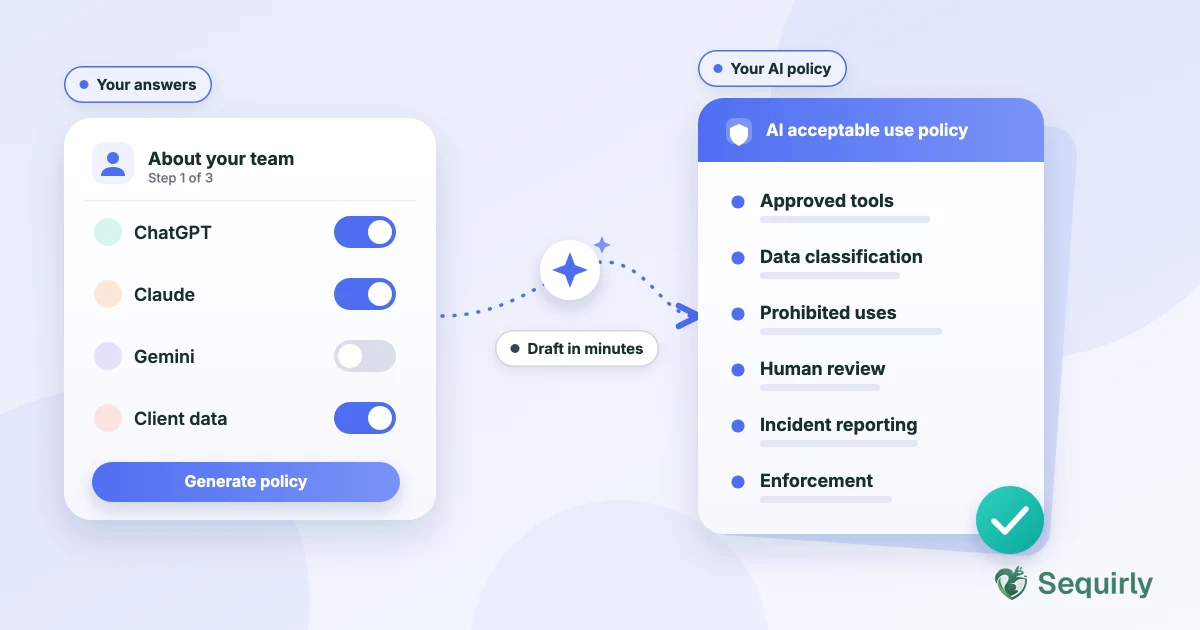
An AI policy generator is a tool that asks a few questions about your team and writes a draft AI acceptable use policy for you. It turns a blank page into a one-page policy you can edit and share the same day.
Most teams don't have a policy yet, and it's rarely because they don't care. A blank page is hard to start, and the templates you find online tend to be built for a legal department, not a team of 15.
I call that the "Policy Gap": the space between knowing you need a written AI policy and actually having one. Your team doesn't wait for the gap to close. They're already using AI.
So the real question isn't whether your team uses AI. It's whether they know what's allowed. A generator gets you from "we should write something" to a policy people can read, in about 10 minutes.
Here's what a generator does, what a good policy covers, and where it stops.
What an AI policy generator does
A generator takes your answers and builds the policy around them. You don't start from a 30-page framework written for a legal department.
Most ask about the same things.
- Which AI tools your team uses, such as ChatGPT, Claude, Copilot or Gemini
- What kind of data your team handles, such as client records, source code or financial data
- Whether any regulation applies to your work
- How you want mistakes and violations handled
The output is a draft. You still read it, edit it and own it.
Sequirly's free generator works this way. It asks about your company (industry, size and regions), how your team uses AI and which tools, and the data you handle. The quick-start policy is free and needs no account.
What a good AI policy covers
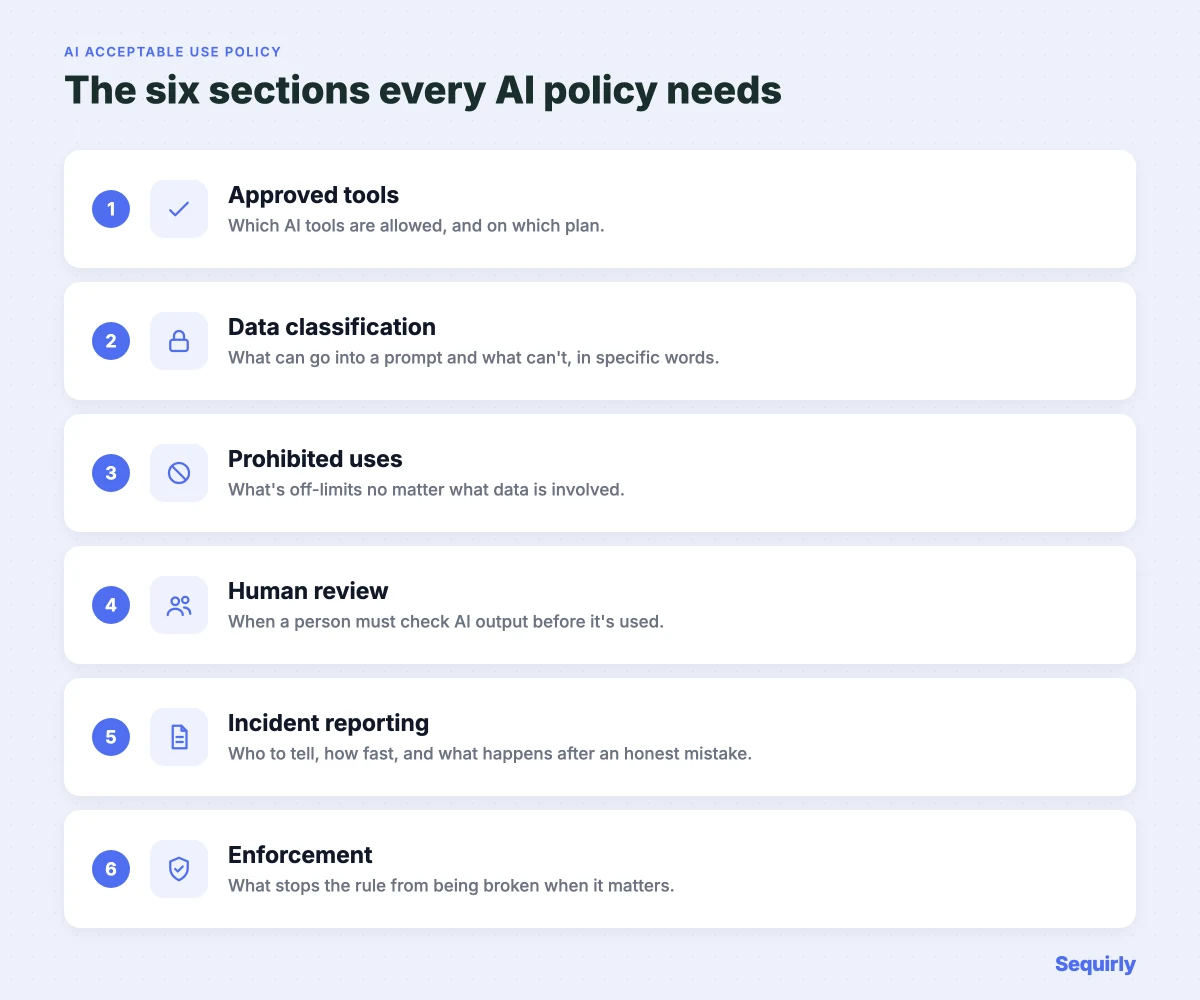
A policy worth sending to your team needs six sections.
| Section | What it defines |
|---|---|
| Approved tools | Which AI tools are allowed, and on which plan (the company account, not a personal one) |
| Data classification | Which data can go into a prompt and which can't, in specific words |
| Prohibited uses | What's off-limits no matter what data is involved |
| Human review | When a person must check AI output before it's used or sent |
| Incident reporting | Who to tell, how fast, and what happens after an honest mistake |
| Enforcement | What stops the rule from being broken at the moment it matters |
Plan to review it at least once a year. A policy without an enforcement section is a list of wishes.
For a full breakdown of each section, read what an AI acceptable use policy should include.
Why the Policy Gap costs teams
In 2023, Samsung lifted its internal ban on ChatGPT. Within weeks, engineers had pasted source code, equipment data and a meeting transcript into it.
It's one of five cases in 5 real ChatGPT data leaks and what they cost.
The engineers weren't careless. They were doing what the tool made easy.
Without a policy, your team is guessing what's allowed. A policy takes the guessing out before someone pastes the wrong thing.

Prevent accidental data leaks to ChatGPT, Claude, and Gemini.
Sequirly scans your prompts and uploaded files before they're sent. If it finds credentials, client records, or API keys, it stops you before the request goes out.
How to use an AI policy generator
It takes three steps and about 10 minutes.
1. Answer for the team you actually have. If you're a 12-person agency, answer for the controls you have today, not the ones you plan to have.
2. Edit the draft for your context. Name the tools your team really uses and the data you really handle. "ChatGPT Business and Claude Pro" is easier to follow than "approved AI tools."
3. Put one person in charge and share it. The policy should come from whoever can enforce it, whether that's the founder or a team lead. Then put it wherever your team keeps its other operating procedures.
What a policy generator does not do
A generated policy tells your team the rules. It doesn't check whether anyone follows them.
If someone pastes a client list into a free ChatGPT account on a deadline, a policy sitting in a shared folder won't stop it.
That's a separate job. A browser-level tool catches sensitive data before it's sent, which is what Sequirly does. The policy sets the rules, and the tool helps them hold.
Sequirly has limits too. It doesn't replace a written policy, and it only covers AI tools used in the browser.
Common Questions
What is an AI policy generator?
An AI policy generator is a tool that asks a few questions about your team, tools and data, then writes a draft AI acceptable use policy you can edit and share.
Is a generated AI policy enough?
No. It's a strong starting point, but you still need to review it, adapt it to your team and put someone in charge of it. For regulated work, have a legal or compliance contact read it.
How long does it take to create an AI policy?
About 10 minutes to generate and edit a first version for a small team. Sharing it and getting people to read it takes longer.
Does an AI policy stop employees from leaking data?
Not on its own. A policy sets the rules; something still has to enforce them at the moment someone pastes.
Where to start
If your team has no AI policy today, start here.
Sequirly's free AI Policy Generator walks you through the key questions and produces a policy you can edit and use today. No email is needed to start.
Once the policy exists, the next question is enforcement. Try Sequirly free to see how it works alongside your policy.