
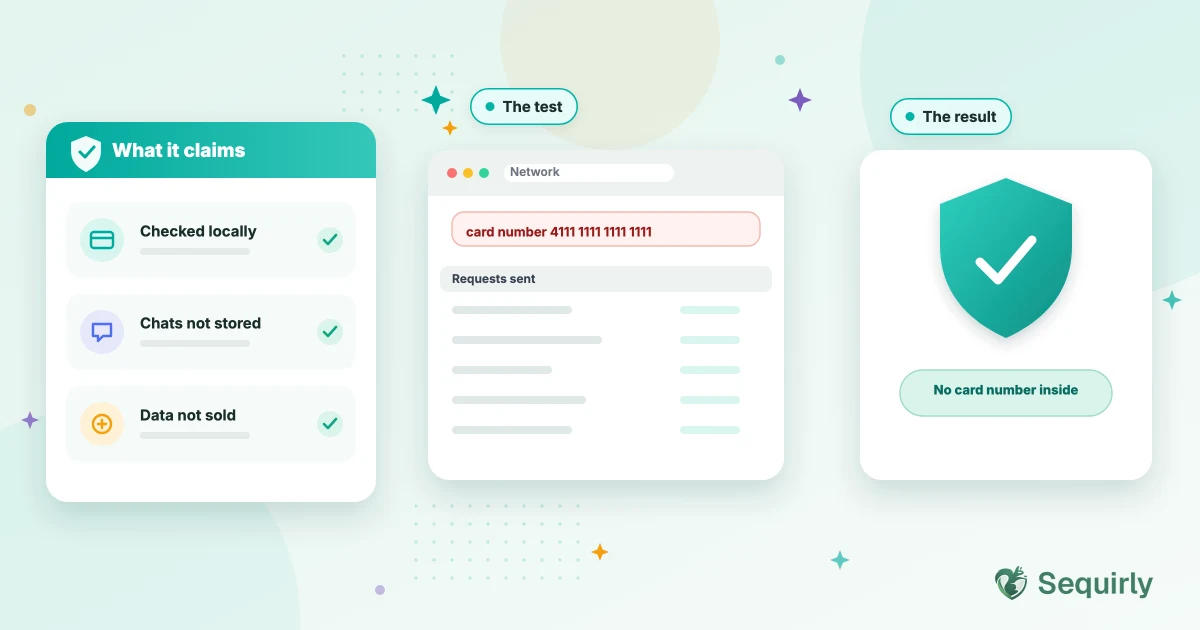
Sequirly says it checks what you type into AI tools inside your browser and never sees the sensitive data it finds. That's a big claim for software that sits next to your prompts, so this post looks at it the way a careful buyer would: what the company says, what it admits to collecting, and how you can test it yourself.
An extension that watches what you paste should have to earn your trust. Nobody should take its word for it.
A badge or a download count doesn't tell you what an extension does with your prompts. Its stated promises, its permissions and its behavior do. We build Sequirly, so treat this as a disclosure and use the checks below rather than our summary.
What Sequirly claims
Sequirly describes itself in its Chrome Web Store listing as AI security for ChatGPT, Claude, Gemini and Perplexity, with local processing. Its privacy policy makes the specific promises:
- Detection happens in your browser. The policy says all processing of sensitive data happens locally in your browser.
- Sensitive values stay with you. It says Sequirly never sees, stores or transmits the actual sensitive data it detects, such as passwords and API keys.
- Your conversations aren't kept. It says the company doesn't monitor or store your conversations with ChatGPT, Claude, Gemini or other AI platforms.
- No selling of personal information. The policy says it doesn't sell it.
The policy is just as clear about what it does collect: account details, usage information, browser and device identifiers, and IP address. It says it uses vendors for payments, hosting and analytics. A privacy policy that admits to collecting something is a better sign than one that claims to collect nothing, because almost no product collects nothing.
What to ask of any AI security extension
These questions work for Sequirly and for any other extension that touches your prompts.
| Question | What Sequirly says | How to check |
|---|---|---|
| Which sites can it run on? | The AI tools it protects | Open `chrome://extensions`, click Details and read Site access |
| What can it ask Chrome for? | It lists no broad browsing access | The same page lists permissions. Broad ones, such as reading your history or all sites, are the red flags |
| Does your prompt text leave the browser? | No, detection is local | Run the network test below |
| What does it collect about you? | Account, usage and device information, listed in the policy | Read the privacy policy section on information collected |
| Can you delete your data? | Yes, on request or by deleting your account | Read the policy's deletion section and test it with a throwaway account |
| Do updates change the picture? | You should be told | Chrome asks you to approve new permissions, so check after each update |
Check it yourself in five minutes
The test shows what leaves your browser right now. Run it again after the extension updates.

Prevent accidental data leaks to ChatGPT, Claude, and Gemini.
Sequirly scans your prompts and uploaded files before they're sent. If it finds credentials, client records, or API keys, it stops you before the request goes out.
Where Sequirly has limits
The company says so itself, and it's worth knowing before you rely on it.
- It misses data without a recognizable shape. Pattern-based checks catch keys, cards and the like. A confidential client name or a pricing sheet in plain words has no pattern to catch.
- It works in the browser. Desktop AI apps and coding tools in the terminal are outside its reach.
- It covers specific AI sites. Other AI tools aren't checked.
- It warns before it blocks. A person can choose to send anyway.
If you're comparing options, this guide to DLP tools for ChatGPT, Claude and Gemini goes through them side by side.
What your admin sees
On a team plan, Sequirly says an admin sees which category of data was flagged, which tool was involved and when, and not the content of the prompt. Other tools your company runs might see more, so ask your IT team. Here's what a company can and can't see on a work or personal account.
Common Questions
Is Sequirly safe to install?
Sequirly says it checks prompts inside your browser and never sees the sensitive data it detects. You don't have to rely on that. Check its permissions and run the network test above before you decide.
Does Sequirly see my prompts?
Its privacy policy says it doesn't monitor or store your conversations with AI tools. The test in this post lets you confirm that on your own machine.
What data does Sequirly collect?
According to its privacy policy: account details, usage information, and browser, device and IP information. It names payment, hosting and analytics vendors.
Does Sequirly read my browsing history?
Check the permissions on its extension page. It's built to run on AI tools, and Chrome shows you exactly which sites it can access.
Can my employer see what I type into ChatGPT with Sequirly installed?
Sequirly says admins see the category of data flagged, the tool and the time, and not the prompt. Other software your company uses may see more, so ask your IT team.
Can I delete my data?
The policy says that when you delete your account, personal information is deleted or anonymized within 30 days, unless the law requires the company to keep some.
Where to start
Install it, run the five-minute check and decide for yourself. Try Sequirly free, or book a quick demo if you'd like to ask the team anything first.
If you'd rather see what your team has already shared, scan your ChatGPT history. It runs in your browser, and nothing is uploaded.