
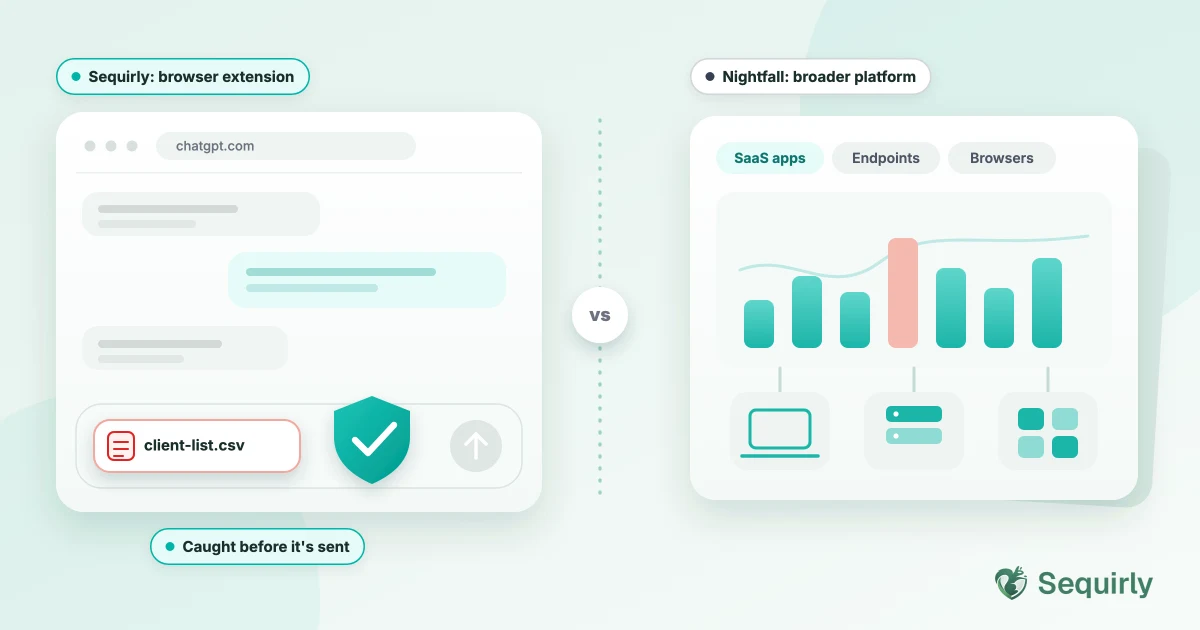
Nightfall is a broader data security platform that you buy through a sales process. Sequirly is a browser extension that a small team can install and try today.
So the real question isn't which one is better. It's what you need to protect. If it's the AI chat box in a browser and you don't have an IT team, Sequirly is the lighter fit. If you need data protection across your SaaS apps and devices too, Nightfall is built for that.
We build Sequirly, so read this comparison with that in mind. Every claim about Nightfall below comes from its public pages, and we link them. Where Nightfall is the better choice, we say so.
Here's how the two compare, starting with the table.
Sequirly vs Nightfall at a glance
| Sequirly | Nightfall AI | |
|---|---|---|
| Built for | Small teams that use AI tools in the browser | Security teams that need coverage across AI tools, SaaS apps and endpoints |
| How you get it | Self-serve. Install the extension and start | Sales-led. Request a demo, then a proof of value |
| Pricing | Free plan. Team is $19 per user per month ($15 billed annually) | Custom quote. No public price list or free tier |
| What happens when it finds something | Warns or blocks before the prompt is sent | Redacts sensitive data from ChatGPT prompts in real time and notifies the user. Its pricing page also describes blocking sensitive data from reaching ChatGPT, Gemini and Perplexity |
| Where detection runs | Locally, in your browser | Not stated on its public pages |
| Custom rules | A core offering. Admins upload policy documents and define team rules, and the Sequirly team works with you to build rules around your workflow | Custom detectors are described for the platform; see its docs for specifics |
| What admins see | Metadata only: which tool, which data category, what action was taken | Alerts and a central dashboard for security teams |
| Beyond the browser | No. Browser-based AI tools only | Yes. SaaS apps and endpoints, per its own materials |
| Setup | About 2 minutes, no IT team needed | The extension needs employees to log in with SSO. Managed rollouts use tools like Microsoft Intune |
Sources for the Nightfall column: its ChatGPT page, its pricing page, and its browser plugin deployment guide.
Where Nightfall is the better choice
Let's be honest with you. Nightfall wins in several cases. For example,
1. You need protection beyond the browser.
Nightfall describes coverage across SaaS apps and endpoints, and Sequirly only watches AI tools in the browser.
2. You have a security team.
Nightfall is built for people who live in dashboards, review alerts and tune detectors. Its pages speak to security teams and compliance programs like HIPAA, PCI-DSS, ISO 27001 and SOC 2.
3. You're already in a sales-led buying process.
If procurement, security review and a proof of value are normal for you, Nightfall fits that motion.
Where Sequirly is the better choice
Sequirly wins in other cases. For example,
1. You're a small team without an IT department.
Sequirly installs in about two minutes, and you can try the free plan before anyone talks to sales.
2. You only need to stop the paste.
The leak most small teams worry about is one person dropping a client spreadsheet or an API key into ChatGPT. Sequirly stops that moment.
3. You want detection to stay in the browser.
Sequirly runs locally, so nothing it detects reaches Sequirly's servers. The admin sees metadata only, never the content of a prompt.
4. You want rules built around your workflow.
Custom rules are one of Sequirly's core offerings. Admins can upload their own policy documents and define rules for the team. And if you want something specific, the Sequirly team will sit down with you, understand your requirements and build the setup around your workflow.
5. You want to see the risk before you commit.
Our free scanner shows what's already in your team's ChatGPT history, and nothing is uploaded.

Prevent accidental data leaks to ChatGPT, Claude, and Gemini.
Sequirly scans your prompts and uploaded files before they're sent. If it finds credentials, client records, or API keys, it stops you before the request goes out.
What we could not verify about Nightfall
Two things matter to buyers, and Nightfall's public pages don't settle them.
- Where detection runs. The pages say it scans before a prompt is submitted. They don't say whether that happens in the browser or in Nightfall's cloud.
- Claude coverage. Its pricing page names ChatGPT, Gemini and Perplexity for blocking sensitive data, and lists Claude Code and Claude Enterprise integrations in its higher tier. Consumer Claude isn't explicitly listed.
If any of these decide the purchase for you, ask Nightfall directly. Get the answer in writing.
What Sequirly does not do
You should know Sequirly's limits before you pick it.
- It doesn't cover desktop AI apps. It works on browser-based tools.
- It doesn't protect data in Slack, Google Drive or other SaaS apps.
- It doesn't replace an AI usage policy. It enforces one.
- It isn't a full enterprise DLP platform.
How to decide
Start with where your team's data actually leaks.
If it's the AI chat box in a browser, and you have no IT team, try Sequirly first. It costs nothing to find out.
If it's spread across SaaS apps, endpoints and the browser, and you have a security team, put Nightfall on your shortlist. Ask for the proof of value.
If you want rules built around how your team works, talk to the Sequirly team. They'll sit down with you and build the setup.
If you aren't sure, run the scanner on your ChatGPT export first. Seeing what your team has already shared usually makes the choice clear.
For more tools, see our comparison of AI security tools for small teams. For the enterprise-suite angle, read Sequirly vs enterprise DLP.
Common Questions
Is Nightfall free?
No. Nightfall doesn't offer a free tier or a self-serve trial. It offers a 7-day or limited-time proof of value. Sequirly has a free plan.
Does Nightfall work with Claude and Gemini?
Nightfall's pricing page names Gemini, ChatGPT and Perplexity for blocking sensitive data. It lists Claude Code and Claude Enterprise integrations in its higher tier, but doesn't explicitly list consumer Claude. Sequirly works with ChatGPT, Claude, Gemini, Perplexity and other browser-based AI tools.
What is the main difference between Sequirly and Nightfall?
Nightfall is a broader data security platform sold through sales. Sequirly is a browser extension focused on stopping sensitive data before it's sent to AI tools, with custom rules built around your workflow.
Do small teams need a tool like this?
If your team uses AI tools in the browser and nothing checks what they send, yes. Start with a policy and your privacy settings, then add a browser-level check as the safety net.
Where to start
Find out what your team has already shared. Scan your ChatGPT history with our free scanner.
Then try Sequirly free, or book a quick demo if you would like to talk it through first.