
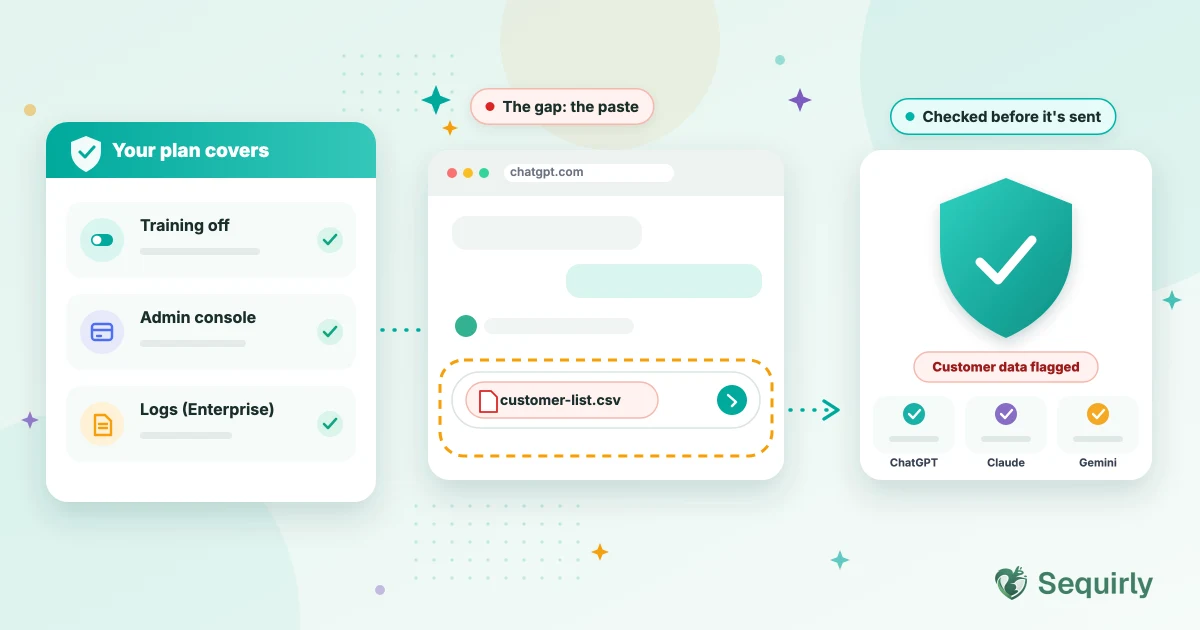
Yes, if your team works with customer data, credentials or client files.
ChatGPT Business and Enterprise stop OpenAI from training on your data and give you admin controls, but neither one checks what an employee pastes before it's sent.
That's the gap people don't expect, because the subscription feels like the safe option. It covers the contract with OpenAI. However, sharing customer data with ChatGPT is a separate problem, and it happens in the browser before any contract applies.
So the real question is what your plan covers and what it leaves open. Let's start with what you're paying for.
What Business and Enterprise give you
| Business | Enterprise | |
|---|---|---|
| Training on your data | Off by default, backed by contract | Off by default, backed by contract |
| Conversation logs for your security tools | Not offered | Yes, through OpenAI's Compliance Platform |
- Training off means your prompts don't end up in the next model, and here's what each plan does with your data. The Compliance Platform, which OpenAI says is available to Enterprise and Edu workspaces, gives you logs and metadata that you can connect to eDiscovery, DLP and SIEM tools.
- Conversation logs for your security tools is easy to misread. It means a security tool can review conversations after they've happened. By then the text has already reached OpenAI.
Four things neither plan does
Let's be honest about the gaps. Even on Enterprise, these four are still open.
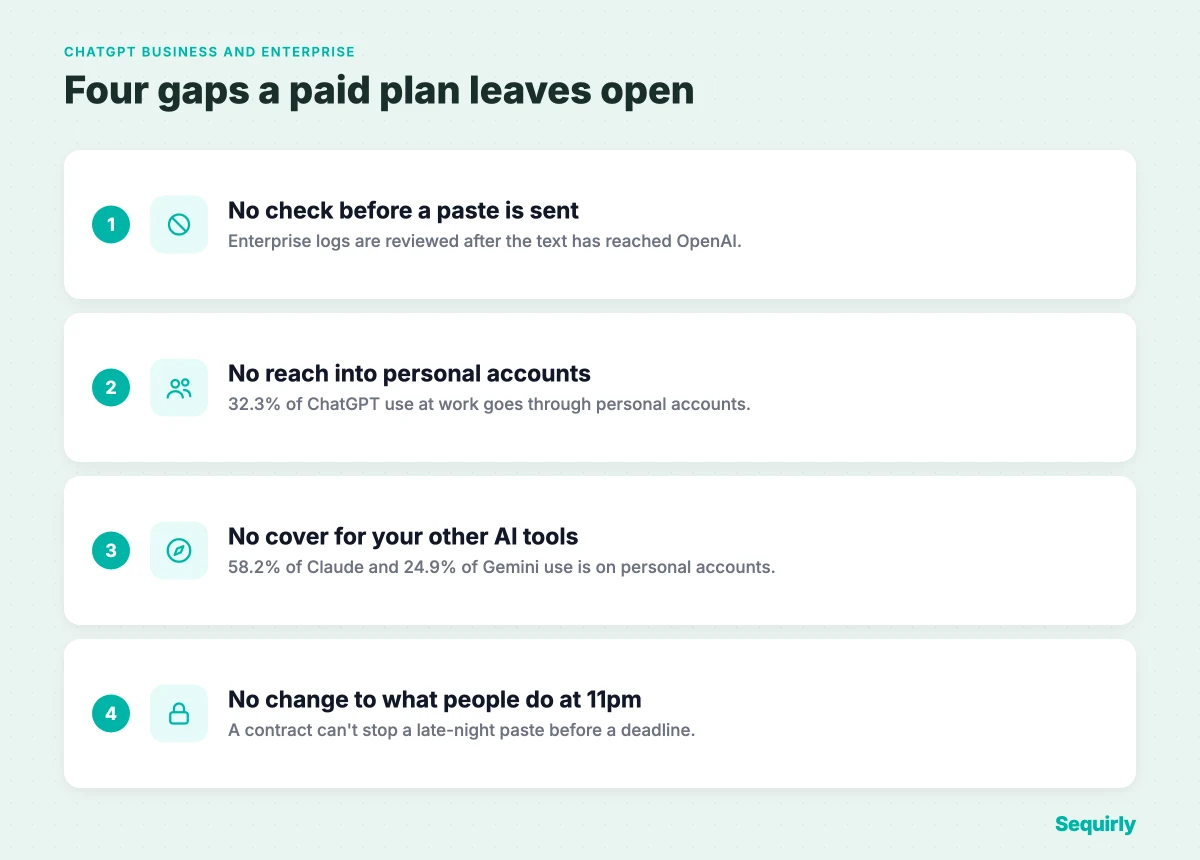
For the fine print on what Enterprise does protect, see Is ChatGPT Enterprise actually secure?.
When a paid plan is enough
A paid plan is enough more often than vendors like to admit.
If your team uses ChatGPT only on company accounts, never puts customer, regulated or client data into it, and has a written rule that says so, a business plan plus the training settings is a reasonable setup. Start there.
DLP earns its place the day someone has a reason to paste something sensitive. For most teams that day arrives sooner than expected.

Prevent accidental data leaks to ChatGPT, Claude, and Gemini.
Sequirly scans your prompts and uploaded files before they're sent. If it finds credentials, client records, or API keys, it stops you before the request goes out.
Which setup fits your team
| Your situation | What fits |
|---|---|
| A small team on ChatGPT Business, and no customer or client data goes in | The plan, the training settings and a one-page policy |
| Customer data, source code or credentials sometimes go into AI tools | The plan, plus a check that runs before the paste is sent |
| Enterprise, with a security team that already runs a SIEM | The Compliance Platform with a DLP or SIEM tool for review afterwards, plus a check before the paste for browser tools |
| Several AI tools, and some personal accounts | A check that works in the browser whichever account is open |
What a paste check adds
A paste check works at the one point a subscription can't reach, which is the moment before the text leaves the browser.
Sequirly checks what you're about to send to ChatGPT, Claude or Gemini and warns you before sensitive data goes. It works whichever account is open, so a personal account is covered as well as the company one. The admin sees which category of data was flagged and which tool was involved, and never the content of the prompt.
If you want rules built around the data your team handles, the Sequirly team will sit down with you, understand your requirements and build the setup around your workflow.
Sequirly has limits too. It works in the browser, so it doesn't cover desktop AI apps, and it doesn't replace a business plan or Enterprise's own controls. It sits alongside them.
If you're weighing the options, our comparison of DLP tools for ChatGPT, Claude and Gemini and Sequirly vs enterprise DLP go through them side by side.
Common Questions
Do you still need DLP if you have ChatGPT Enterprise?
Yes, if employees can paste sensitive data. Enterprise stops training on your data and offers logs for your security tools, but it doesn't check a paste before it's sent, and it doesn't reach personal accounts or other AI tools.
Does ChatGPT Business train on your data?
No. OpenAI says business plans don't train on your workspace data by default, and that's backed by contract. Free and Plus accounts are different.
Does ChatGPT Enterprise have DLP built in?
Enterprise has the Compliance Platform, which gives logs and metadata that DLP, SIEM and eDiscovery tools can use after the fact. It isn't a check that runs before a paste is sent, so confirm with OpenAI which partner tools work with your setup.
Can admins see what employees paste into ChatGPT?
It depends on the plan. Enterprise admins can use OpenAI's compliance tools to review conversation logs. What admins see on other business plans varies, so check your admin documentation. Admins can't see personal accounts at all.
Is ChatGPT Enterprise enough for compliance?
It helps with the contract and the audit trail, but compliance depends on the rules that apply to you. This isn't legal advice, so ask your lawyer or auditor what your obligations require.
Where to start
Find out what's already in there. Scan your ChatGPT history, or ask your team to scan theirs. It runs in your browser, and nothing is uploaded.
Then try Sequirly free so the paste gets checked on every account, personal or work. Or if you'd like to talk it through first, book a quick demo.