
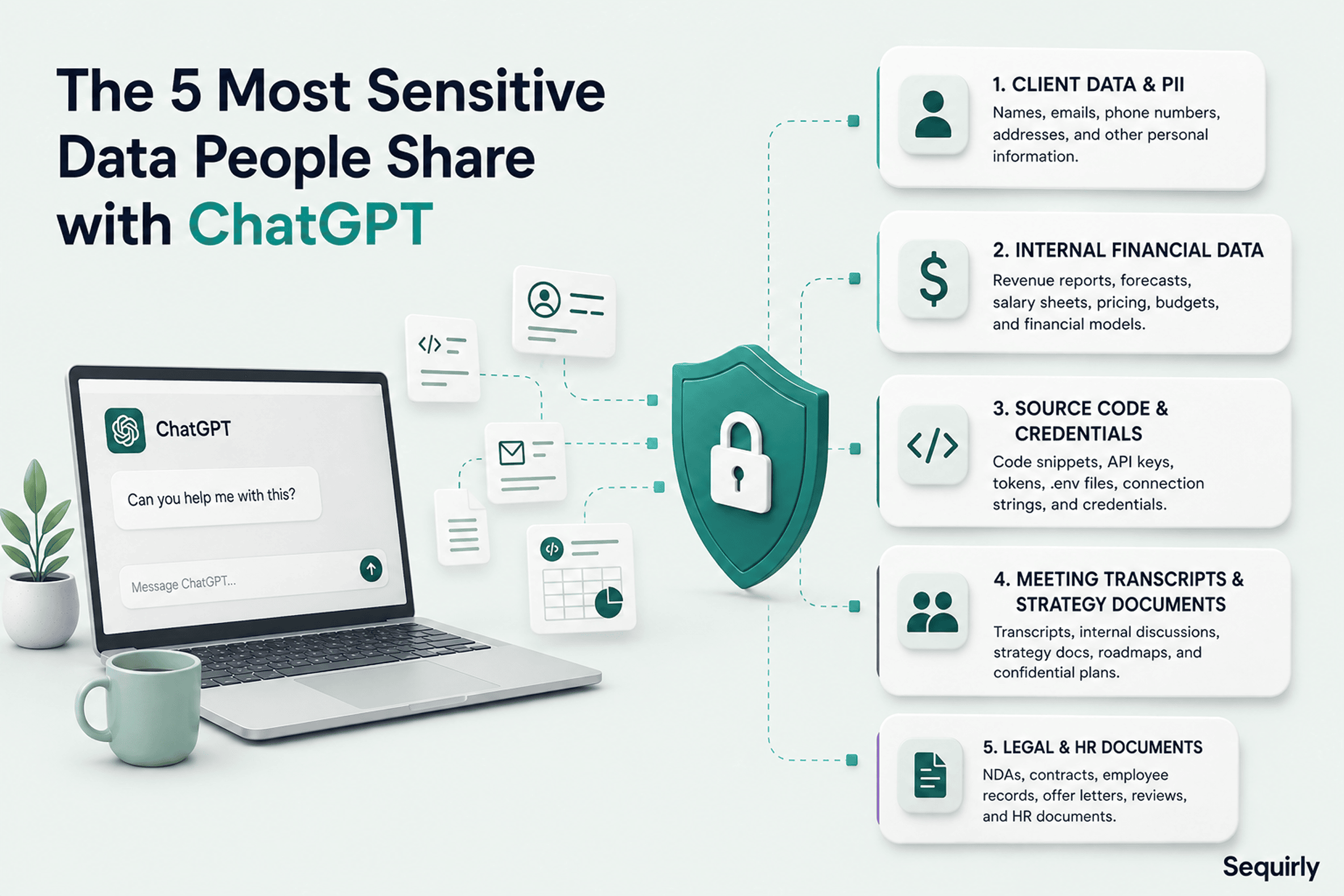
The sensitive data employees share with ChatGPT most often is ordinary: client details, financial records, source code and credentials, meeting notes, and legal or HR files. It rarely looks sensitive in the moment, which is exactly why it keeps leaving.
Most often, the sensitive data people share with ChatGPT are not exotic. These data are hidden inside regular tasks your team runs every single day. For example,
- Client emails shared while writing a response email
- API keys and credentials shared while debugging
- Internal memos and new features exposed while summarizing meetings
- Employees' financial records leaked while cleaning up an Excel document
Before we explore the top sensitive data people share with AI, let's look at how we got here.
ChatGPT is the first GenAI tool that became popular among regular people, not just individuals who are in tech and software industries.
It's also the tool that makes people comfortable sharing a lot of personal plus professional details.
And, not many realize whether the information they are sharing is sensitive. They don't know whether sharing these puts their company at risk.
In this blog, we will share the top 5 types of sensitive data people are sharing with ChatGPT, and these are the same data your team might be sharing as well.
By the numbers
Before the five types, here is how common this is:
- 88% of office professionals say they have shared work information with public AI tools like ChatGPT, Claude or Gemini, according to PagerDuty's 2026 Shadow AI survey of 1,250 workers at companies with $500M+ in revenue.
- What they share: 43% emails and other correspondence, 40% meeting notes, 34% customer data, and 31% financial information or confidential documents (same survey).
- 39.7% of AI interactions involve sensitive data, and employees send sensitive data to AI tools about once every three days on average, per Cyberhaven's 2026 AI Adoption & Risk Report.
- 32.3% of ChatGPT usage at work still goes through personal accounts, where company controls don't apply (Cyberhaven, 2026).
The number that stopped me is the 88%. Almost nobody is the exception here. If your team uses AI at work, assume this includes people you trust.
1. Client data and PII
Harmonic Security's analysis of employee prompts found that customer information makes up 46% of all sensitive data submitted to AI tools.
These data are leaked through tasks that feel entirely routine.
- A marketing executive uses ChatGPT to write a client email. They drop the client's name, company, and project details into the prompt.
- An account manager formats a proposal. They upload a document that has prospect's contact details.
- A data analyst uses AI to clean up a customer list. They drop in a raw export, real names emails, and all, and ask ChatGPT to reformat it.
You can relate to these tasks and they don't feel like security incidents.
But all of the tasks are sending client data to a third-party system. And majority of the time there is no data processing agreement with the client to cover this transfer.
Do you know what makes this worse?
73.8% of workplace ChatGPT accounts are non-corporate, according to Cyberhaven's 2024 research. And data submitted through a personal or free-tier account may be used to train future models unless the user has manually opted out (which most people don't).
For agencies and client-facing teams, most client agreements prohibit sharing their information with third parties. And AI providers are third parties under standard legal definitions.
The free tier of ChatGPT is almost certainly not what your client had in mind when they signed your contract.
Not sure what your team has already shared? Scan your AI chat history and see which of these categories shows up.
For a broader framework on reducing this exposure across your team, see How to Prevent AI Data Leaks.
2. Internal financial data
Harmonic Security's research puts financial and legal data at 15% of sensitive prompts.
Compared to the client data, this share is smaller, but the impact of sharing sensitive financial data is typically higher.
For example,
- Broad memos, fundraising materials, acquisition documents, and pricing models. These files should stay furthest from external systems. But, people are sharing these in prompts for formatting help.
- A salary sheet and revenue forecast go in for analysis and plain-language summary.
With ChatGPT and other AI tools freely available within Excel and spreadsheets, sharing financial data is the path of least resistance.
3. Source code and developer credentials
When a developer hits a bug, the fastest path to a fix is pasting the code into ChatGPT.
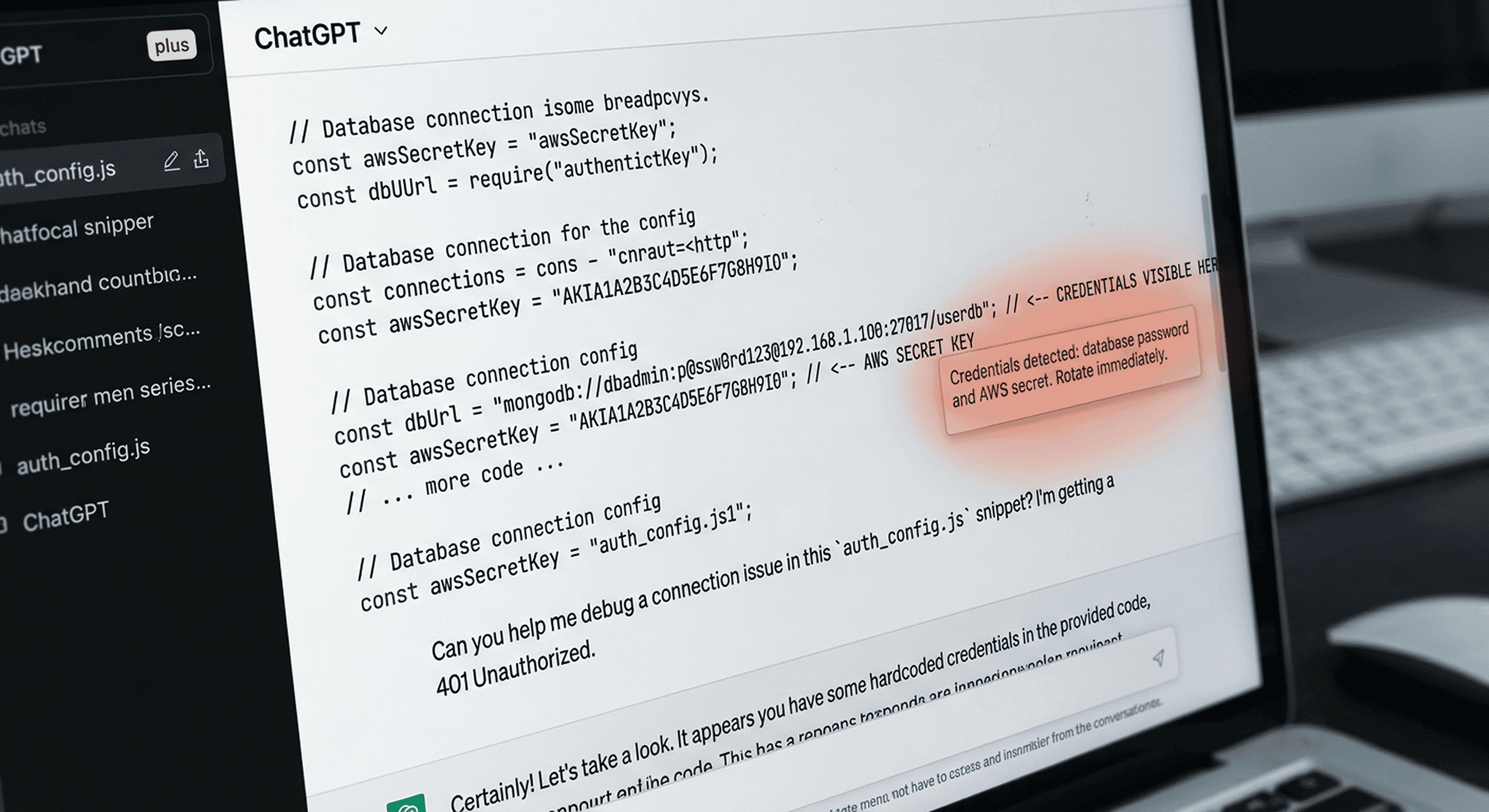
But a real code snippet can include environment variables, API keys, and database connection strings. They blend into the surrounding code and don't really read as sensitive data.
That's why this is the highest-risk category for technical teams, and among the least visible.
What to check in your own team: `.env` file contents, connection strings in code (e.g., `mongodb+srv://user:password@...`), config files pasted for syntax help, and any API call with a token written inline.
If a credential ends up in a public AI tool's training data, it cannot be recalled. The only fix is rotating every affected key immediately. And that's only possible if you know they've been leaked. Whether a given plan trains on your prompts is covered in Does ChatGPT Train on Your Data?

Prevent accidental data leaks to ChatGPT, Claude, and Gemini.
Sequirly scans your prompts and uploaded files before they're sent. If it finds credentials, client records, or API keys, it stops you before the request goes out.
4. Meeting transcripts and strategy documents
I personally feel this category of sensitive data catches organizations off guard because it happens automatically.
A meeting ends and a transcript is auto-generated.
Someone then pastes the meeting notes into ChatGPT to pull out the action items.
Now, the transcript contains everything said in the meeting: client names, deal terms, internal strategy, and things said off the cuff without any expectation of being written down.
In August 2025, the Acting Director of CISA uploaded government contracting documents marked "For Official Use Only" to a personal public ChatGPT account. The incident was reported by Politico and only discovered because automated DHS monitoring flagged the uploads.
If your team summarizes meetings with AI, this category applies to you.
5. Legal and HR documents
"Can you summarize all the points in this NDA in simple language?" is a reasonable task to ask an AI tool.
But the NDA contains the other party's name, deal terms, and confidentiality obligations that the other party has a legal interest in keeping private.
According to Harmonic Security's 2025 analysis, employee PII makes up 27% of sensitive prompts submitted to AI tools. That includes names, contact information, compensation terms, and performance records.
HR teams carry specific exposure here. They use AI for documents like contracts, NDAs, offer letters, performance reviews, and termination paperwork. Often these documents contain personal data about real people and legally protected information.
Here, the intent is to get a better answer. As a result, confidential employee data are being shared with a third-party system.
Why sensitive data reaches ChatGPT
The five categories above share one thing: every one of them appears in tasks where AI is genuinely useful.
Here, the risk is that the useful action and the risky action are the same.
ChatGPT makes it frictionless to get help with exactly the tasks that involve your most sensitive information.
Cyberhaven's analysis found that 8.6% of employees have pasted company data into ChatGPT, with the share classified as sensitive more than doubling in two years.
What can you do to prevent the leaks
"My team wouldn't share the sensitive data with ChatGPT."
This is the most common response I get when I talk to founders. Honestly, this is true.
But with AI, the more you share, the better output you get. This makes uploading documents and sharing detailed information feel like the right thing to do.
As a founder, how would you prevent this?
1. Audit before you assume.
Most teams don't know which of these five categories applies to them until they look. Usually, the answer is more than one.
2. Start with the highest-risk category for your team.
- For dev teams, that's credentials in code.
- For agencies and client-facing teams, it's client PII.
- For leadership teams, it's financial and strategy documents.
3. Check which accounts your team is using.
If your people run work tasks through personal or free-tier ChatGPT accounts, the data handling differs substantially from Team or Enterprise. Fix that immediately.
Sequirly's free AI security audit tool runs a quick assessment of your team's AI exposure and identifies which of these five categories is highest-risk for your specific situation.
The only control point is before the data leaves
By the time data reaches ChatGPT, there is no recall.
You cannot ask OpenAI to delete a specific prompt. The only effective control is before the data leaves the browser.
Sequirly works at that point. It runs locally in the browser and catches sensitive data before submission: credentials, PII, financial figures, and custom patterns you define for your team's specific risk profile.
When it detects a match, the team member sees a clear explanation of what should stay in-house and why.
If you want to see these five categories blocked before they reach ChatGPT, try Sequirly free.