
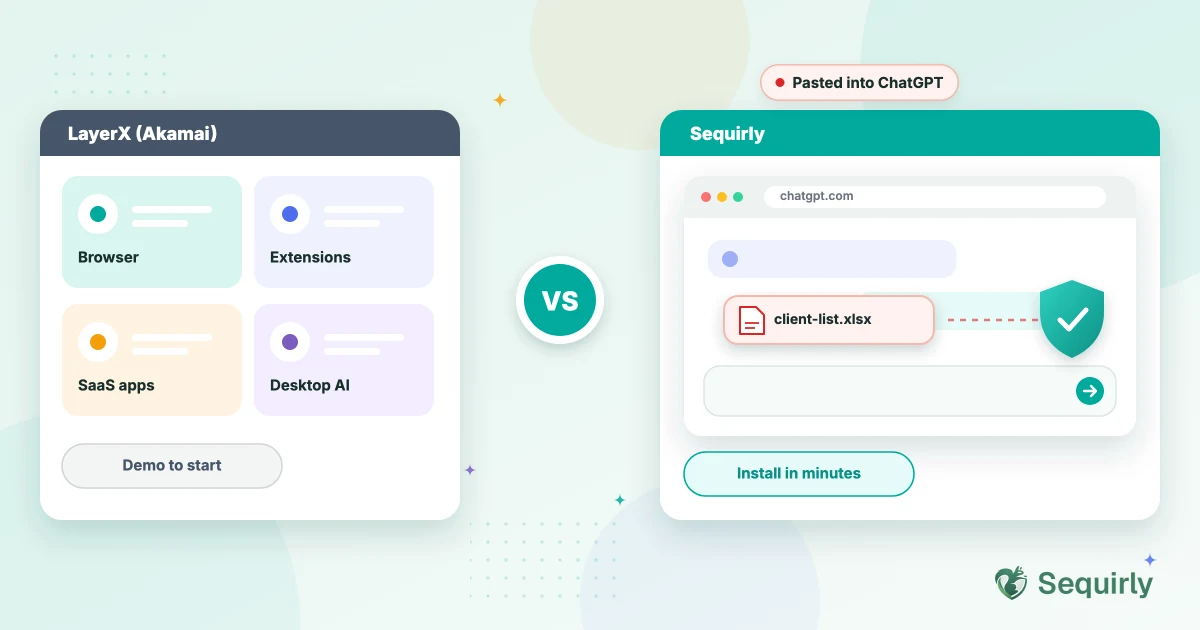
LayerX is now Akamai Workforce Protector, a browser and desktop security platform that covers AI usage, SaaS data loss and risky extensions, sold through a demo. Sequirly is a browser extension that does one of those jobs: it stops sensitive data reaching ChatGPT, Claude, Gemini and Perplexity, and a small team can install it today.
So the question is how much of the browser you want to secure. If it's the AI chat box, Sequirly is the lighter fit. If you want one platform for AI, SaaS, extensions and unmanaged devices, Workforce Protector is built for that.
We build Sequirly, so read this comparison with that in mind. Every claim about LayerX below comes from Akamai's public pages, checked in November 2026, and we link them. Where it's the better choice, we say so.
Here's how the two compare, starting with the table.
Sequirly vs LayerX at a glance
| Sequirly | Akamai Workforce Protector (formerly LayerX) | |
|---|---|---|
| Built for | Small teams that use AI tools in the browser | Enterprises securing browsers, AI use and contractors' devices |
| How you get it | Self-serve. Sign up and install | Sales-led. Request a demo |
| Pricing | Solo $12 per month, Team $19 per user per month ($9 and $15 billed annually) | Not public |
| What it covers | ChatGPT, Claude, Gemini and Perplexity in Chrome, Edge and Brave | AI web apps, copilots, AI browser extensions, desktop AI apps and coding agents, SaaS apps |
| Browsers | Chrome, Edge and Brave | Chrome, Edge, Safari and Firefox on Windows, macOS and Linux, plus AI browsers like ChatGPT Atlas, Perplexity Comet and Dia |
| What happens when it finds something | Warns or blocks before the prompt is sent | Warns, redacts, blocks or guides typing, pasting, uploads and conversation sharing |
| Personal vs work accounts | Checks the paste on any account | Can apply different rules to corporate and personal accounts |
| Custom rules | A core offering. Admins upload policy documents and define rules, and the Sequirly team builds setups around your workflow | Policies based on identity, device, account type and AI model |
| Beyond AI | No | Extension risk scoring, SaaS DLP, phishing and identity controls |
| What admins see | Metadata only: tool, data category, action taken | Discovery of AI apps and extensions, with SIEM integration |
Sources for the Workforce Protector column: its product page and AI usage control page.
Where LayerX is the better choice
Let's be honest with you. Workforce Protector wins in several cases. For example,
1. You want to secure the whole browser.
It scores and blocks risky browser extensions, protects SaaS apps and catches phishing. Sequirly only looks at what goes into AI tools.
2. Your people use Safari, Firefox or AI browsers.
Akamai lists Chrome, Edge, Safari and Firefox, plus agentic browsers like ChatGPT Atlas and Comet. Sequirly runs on Chrome, Edge and Brave.
3. You need desktop AI and coding agents covered.
Its desktop client covers AI desktop apps, developer tools and on-device agent frameworks.
4. You work with contractors on their own devices.
Akamai says it deploys on managed and unmanaged devices, and can treat personal and corporate accounts differently.
5. You already buy from Akamai.
It now sits in Akamai's security portfolio, so it may fit an existing contract.
Where Sequirly is the better choice
Sequirly wins in other cases. For example,
1. You're a small team without an IT department.
You can install Sequirly in a few minutes and see what it catches the same day.
2. AI tools are the only browser risk you're solving.
If the worry is a client spreadsheet or an API key pasted into ChatGPT, you don't need a full browser security platform to stop it.
3. You want detection to stay in the browser.
Sequirly runs locally, so what it detects doesn't reach Sequirly's servers. Admins see metadata only, never the prompt.
4. You want rules built around your workflow.
Custom rules are one of Sequirly's core offerings. Admins can upload their own policy documents and define team rules, and if you want something specific, the Sequirly team will sit down with you, understand your requirements and build the setup around your workflow. That work isn't tied to a plan; its scope and price come from what you need.
5. You want a price before you talk to anyone.
Sequirly's plans and prices are on its pricing page.

Prevent accidental data leaks to ChatGPT, Claude, and Gemini.
Sequirly scans your prompts and uploaded files before they're sent. If it finds credentials, client records, or API keys, it stops you before the request goes out.
What we could not verify about LayerX
A few things matter to buyers, and Akamai's public pages don't settle them.
- Price and minimums. There's no public price, tier or seat minimum.
- How traffic is handled. The product FAQ says it needs no network or architecture changes, while Akamai's DLP glossary page talks about routing web traffic through Workforce Protector. Ask which applies to your setup.
- Where detection runs. The pages describe cloud intelligence alongside the extension, but not where prompt content is analysed.
If any of these decide the purchase, ask Akamai directly and get the answer in writing.
What Sequirly does not do
You should know Sequirly's limits before you pick it.
- It doesn't cover desktop AI apps or coding agents outside the browser.
- It doesn't score or block other browser extensions.
- It doesn't protect data in Slack, Google Drive or other SaaS apps.
- It doesn't run on Safari or Firefox today.
- It isn't a full browser security platform.
How to decide
Start with the problem you're trying to solve.
If it's sensitive data going into AI chats, and you don't have an IT team, try Sequirly first.
If it's the whole browser (extensions, SaaS, phishing and AI) across employees and contractors, put Akamai Workforce Protector on your shortlist and ask for a demo.
If you want rules built around how your team works, talk to the Sequirly team. They'll sit down with you and build the setup.
For more options, see our comparison of AI security tools for small teams or read Sequirly vs enterprise DLP.
Common Questions
What happened to LayerX?
Akamai completed its acquisition of LayerX on July 2, 2026. The product is now called Akamai Workforce Protector and is part of Akamai's security portfolio.
How much does LayerX cost?
Akamai doesn't publish a price for Workforce Protector (formerly LayerX). You request a demo and get a quote from sales.
Is LayerX a browser extension?
Yes. Workforce Protector installs as an extension on the browsers your company already uses, and adds a desktop client for AI apps and developer tools.
What is the main difference between Sequirly and LayerX?
LayerX, now Akamai Workforce Protector, secures the whole browser and desktop AI use for enterprises. Sequirly is a self-serve browser extension focused on stopping sensitive data reaching AI tools, with custom rules built around your workflow.
Where to start
Find out what your team has already shared. Scan your ChatGPT history with our scanner.
Then Try Sequirly Now, or book a quick demo if you'd like to talk it through first.